Visible Ores Texture Pack Download 1.21.11
Never Miss Diamonds Anymore!
Mining has always been the heartbeat of the Minecraft experience. From crafting your first wooden pickaxe to the late-game hunt for Ancient Debris, digging is what we do best. However, as the game has evolved with deeper caves and darker deepslate blocks, spotting those elusive ores has become increasingly difficult.
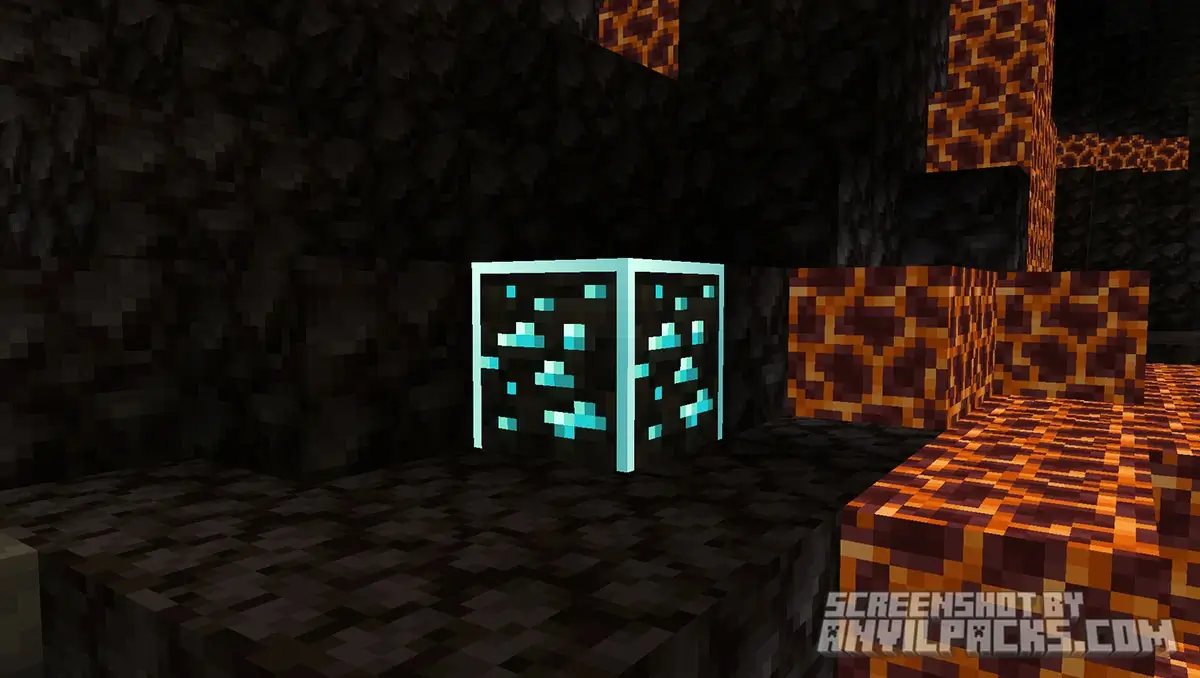
For many, the standard ore textures blend too much into the shadows. Searching for resources can feel like a tedious chore rather than an adventure. This is where the Visible Ores texture pack comes into play. It solves the problem by adding a distinct, glowing outline to valuable blocks. Instead of squinting at dark walls, you can easily spot diamonds from across the cave.
It’s a simple “Quality of Life” upgrade that doesn’t change the game mechanics—it just makes mining way less frustrating and much more efficient.
Before & After Comparison
Compare Visible Ores Texture Pack to default Minecraft Look.
Why Do You Need Visible Ores?
Minecraft’s caves have become massive and complex. In the early days, ores were easy to spot against smooth stone. But with the addition of Deepslate and Tuff, the underground is visually “noisy.”
The Visible Ores pack was created to fix this without breaking immersion. It doesn’t use X-Ray cheats; instead, it enhances the existing textures. It adds a glowing border (emissive textures) around the ores. This means you can see the outline of valuable minerals even in low light. It is perfect for players who want to keep the “Vanilla” feel but speed up their mining trips.
How Visible Ores Transforms Every Block
Each ore gets a specific visual upgrade to help you identify it instantly:
-
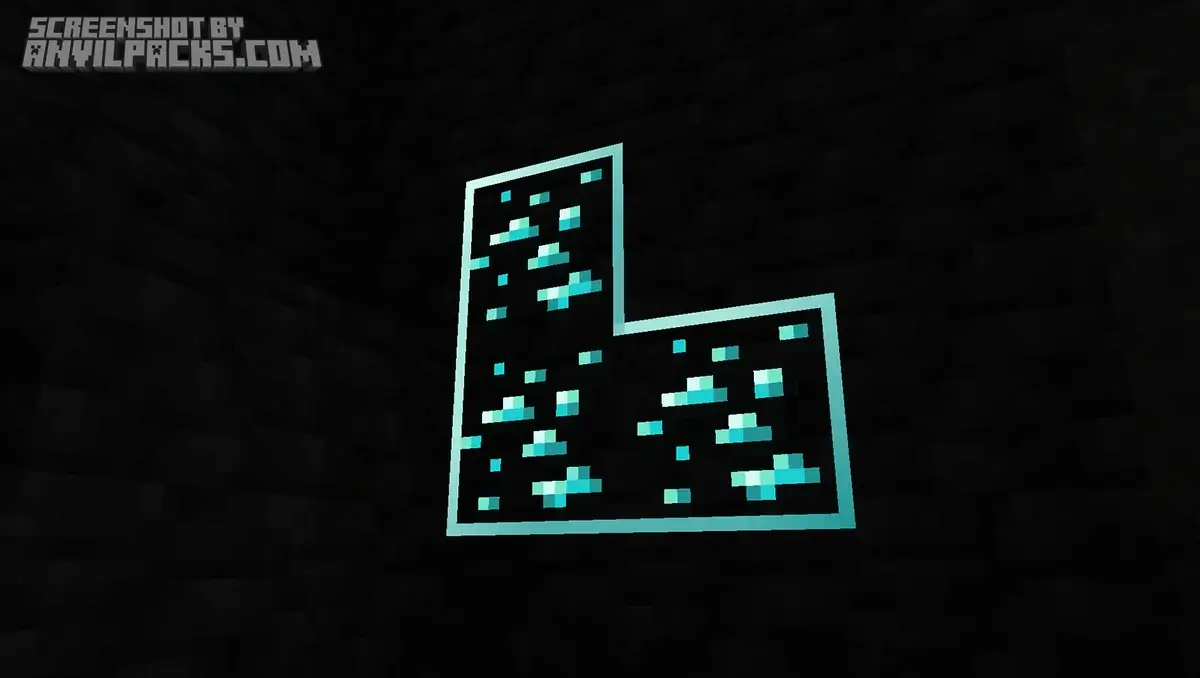
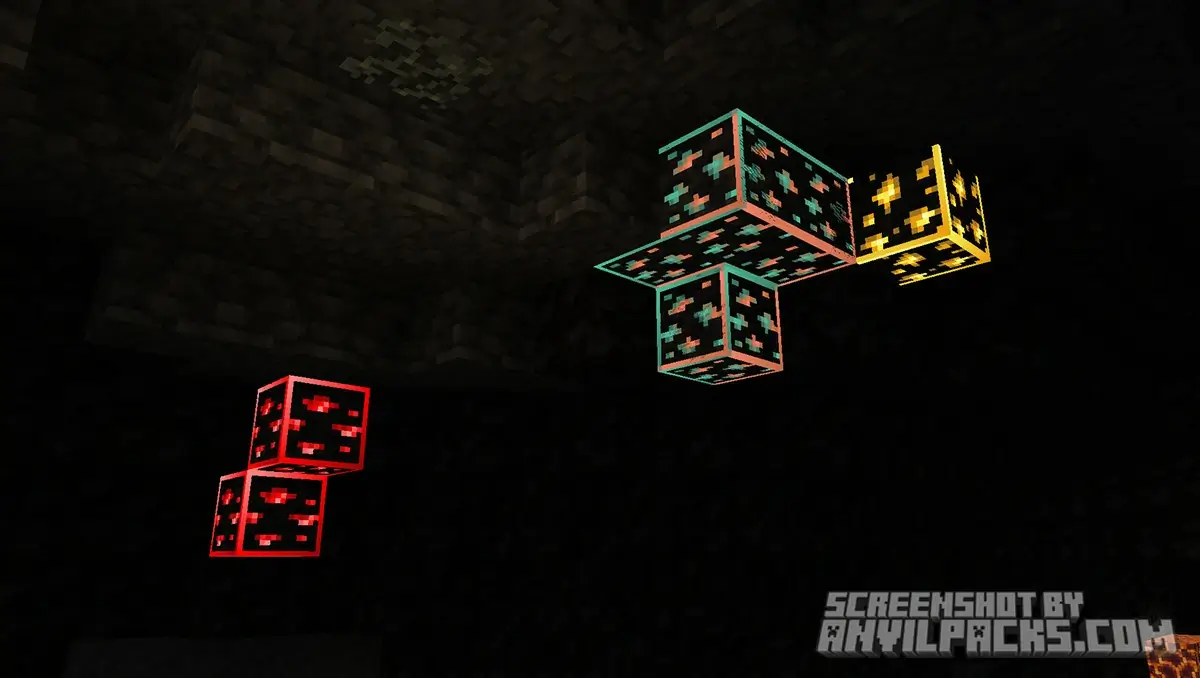
Diamond Ores: The most important block gets a bright, neon-blue border that is impossible to miss in the dark.
-
Gold Ores: A warm, yellow glow that stands out clearly against dark deepslate.
-
Iron Ores: A soft tan/orange outline guiding you to the most essential resource.
-
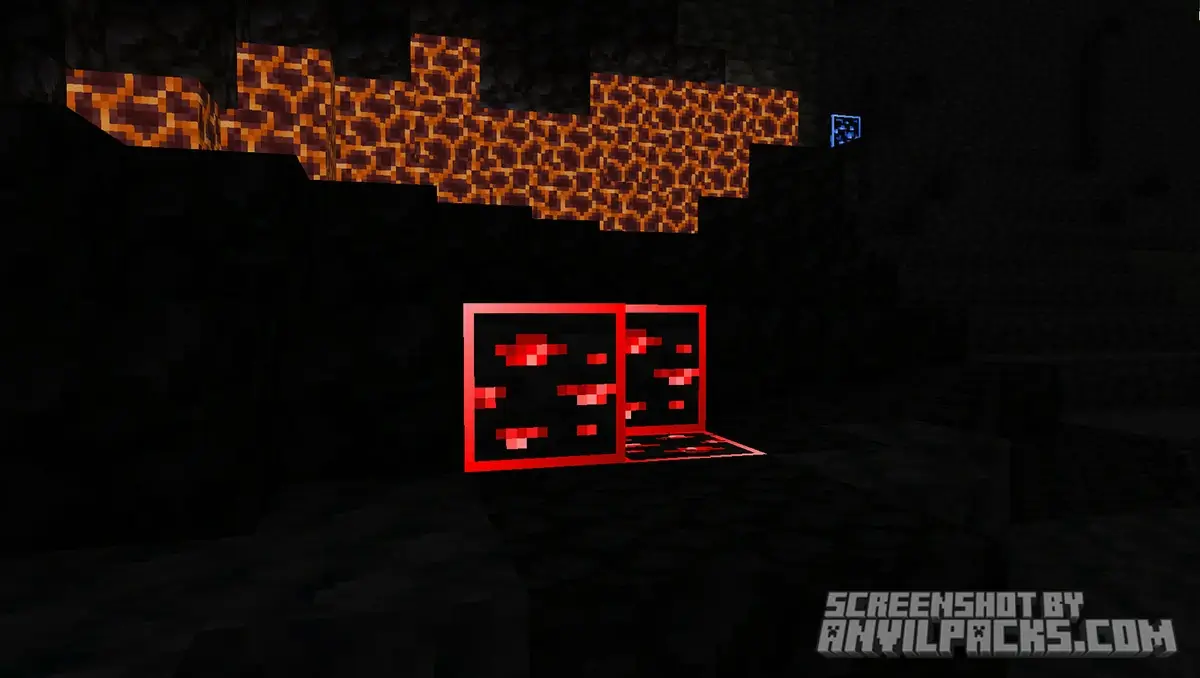
Redstone Ores: The pack amplifies the natural glow of Redstone into a vibrant pulse.
-
Lapis Lazuli: A deep blue highlight that contrasts beautifully with stone.
-
Emerald Ores: In mountain biomes, these rare gems shine with a lush green light.
-
Copper Ores: A greenish-orange border helps distinguish copper veins from generic stone.
-
Coal Ores: Even coal gets a subtle outline, ensuring you never miss a fuel source.
These changes make exploring caves feel like a journey through a neon-lit wonderland, rather than a stumble through the dark.
Our YouTube Video & Screenshots
Watch our Youtube video about Visible Ores Texture Pack.
Version Compatibility
Visible Ores is fully compatible with Java Edition versions from 1.16 up to the latest 1.21.x
Visible Ores - My Honest Opinion
To be honest, I can no longer imagine mining without this pack. Once you get used to the clear visibility it provides, going back to standard, pitch-black caves feels frustrating.
This isn’t a cheat pack—it’s a time saver. I tested it on a survival server, and it drastically reduced the time I spent running around aimlessly. If you play with Shaders (like Complementary), the glowing effect looks absolutely stunning. It transforms a repetitive chore into a visually rewarding experience. For me, it is now a mandatory part of my mod folder.
Visible Ores Texture Pack Download
[1.16 -1.21.11] Download Visible Ores
Free download — redirects to the official pack page.
Explore More Texture Packs
Explore More Shader Packs
How to Install Visible Ores Texture Pack?
- Install OptiFine or Iris Shaders for full compatibility and visual features (this is required for the glowing effect to work!).
- Download the Texture Pack — by clicking the button below.
- Launch Minecraft and open Options → Resource Packs.
- Click “Open Pack Folder.”
- Move or drag the downloaded
.zip file into the resourcepacks folder.
- Go back to Minecraft — the pack should now appear on the left side of the screen.
- Click the arrow to move it to the right (active packs).
- If a message says the pack was made for a different version, click “Yes.”
- Click Done, and enjoy your upgraded visuals!
- Credits: Full credit for creating Visible Ores goes to Techy69.
- Please note that none of the files are hosted on our servers — all Download Links redirect to the official Pack page to support the creator.
- Every pack is thoroughly checked and confirmed to be free from viruses, ensuring a completely safe and secure download experience for all users.









dowalone <3
Download
esta bueno
Descargar
doneeeeeee
dowland
God
super
thanks
dorąbane
downalone
good
Donee
download
Muito bom
download
mega fajne
dowloand
download
Minecraft
Download
download
dowload
Download
nice
download
dowload
download
Good
god
download
download
download
Download
Download :3
downlod
Download
Dowload