Best Minecraft Guides

Flameusz Texture Packs

Texture Packs used by Flameusz on his Live Streams on Youtube & TikTok. If you want your Minecraft look like his, this Guide is for you!

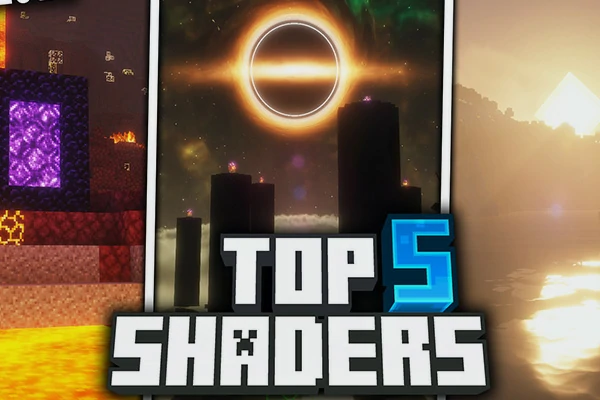
TOP 5 Minecraft Shaders 1.21.11

Stop guessing. We ranked the Top 5 Minecraft Shaders for 1.21. We compare TOP 5 Shaders with interactive sliders to find the best shaders.

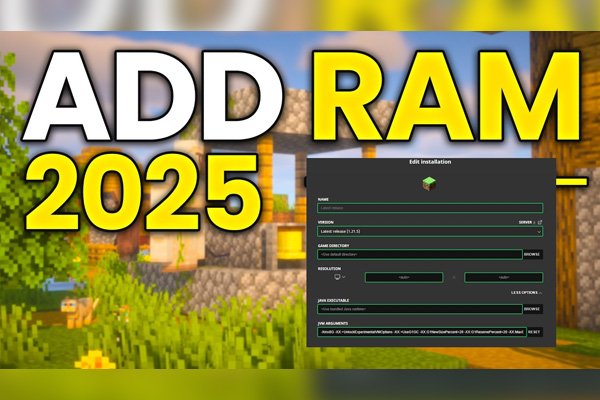
How to allocate Ram to Minecraft

Step by step guide how to Install Iris Shaders for Minecraft Java Edition 2026 UPDATED. Best way to use Shaders with fabric.

How to Install Iris?

Step by step guide how to Install Iris Shaders for Minecraft Java Edition 2026 UPDATED. Best way to use Shaders with fabric.

How to Install Fabric?

Learn how to install the Fabric Mod Loader and Fabric API in 5 minutes. The ultimate guide to modern Minecraft modding for 2026.

How to Install Optifine?

This guide will walk you through the step-by-step process of how to download and install Optifine for the Minecraft Java Edition.

Minecraft Guides — Tutorials, Setup Help, and Honest Recommendations

You’ve got Minecraft installed. Now what? Maybe you’re trying to install your first shader pack and the launcher is fighting you. Maybe Minecraft is crashing because it’s running on default RAM. Maybe you just want to know which shaders are actually worth installing right now without sifting through ten YouTube videos that all recommend the same three packs.

This is the AnvilPacks guide library — written tutorials, setup walkthroughs, and curated recommendation lists for Minecraft Java Edition. No filler, no “subscribe and like” interruptions, just the steps that actually work.

What You’ll Find in the Guides Section

The guides catalog covers everything that surrounds resource packs and shaders but isn’t a pack review itself:

  • Mod loader installation — How to set up OptiFine, Fabric, Iris, and other loaders.
  • Performance tuning — RAM allocation, FPS optimization, troubleshooting lag.
  • Curated recommendation lists — “Top 5 best shaders,” themed pack roundups, and creator spotlights.
  • Pack collection guides — Deep dives on specific creators or categories.

Every guide is written from the perspective of someone who actually plays the game and has hit the same problems you’re hitting.

Mod Loader & Setup Guides

Before you can install a single shader, you need a shader loader. Before you can install most modern mods, you need Fabric or Forge. These are the foundation guides — start here if you’re new.

How to Install OptiFine — The classic Minecraft mod that adds shader support, video settings, connected textures, and a hundred other features. Compatibility with shader packs is unmatched, but it’s slower than the modern alternatives. Still the right pick if you want one tool that does everything.

How to Install Fabric — The modern, lightweight mod loader that’s replaced Forge for most performance and visual mods. Fabric is what you need if you’re running Sodium, Iris, or pretty much any new mod released in the last few years. Fast, clean, actively developed.

How to Install Iris Shaders — The OptiFine alternative for shaders. Iris runs on Fabric, pairs with Sodium for huge FPS gains, and supports almost every modern shader pack. If you care about performance, this is the combo you want.

The short version of which loader to pick: OptiFine if you want simplicity and maximum shader compatibility. Fabric + Sodium + Iris if you want the best performance and you’re willing to set up three things instead of one.

Performance & Optimization Guides

Minecraft’s default settings are not optimized. The game ships with low RAM allocation, render distance set conservatively, and zero performance mods. Fixing this gives you huge FPS gains for free.

How to Allocate RAM to Minecraft — The most important performance fix nobody tells you about. Default Minecraft runs on 2GB of RAM, which is nowhere near enough for modded play, HD resource packs, or shaders. This guide walks through bumping it to 4GB, 6GB, or 8GB depending on your system. If your game stutters, crashes, or freezes during chunk loading, this is probably why.

After RAM, the next biggest performance win is installing Sodium for Fabric users, or running No Fog to remove distance fog and give your render distance some breathing room.

Curated Pack Recommendations

Sometimes you don’t want to read individual reviews — you just want someone to tell you what’s good right now. These guides pull together the current best picks in specific categories.

Top 5 Best Minecraft Shaders 1.21.11 — Updated regularly with the current top shader picks for the latest Minecraft version. Covers different performance tiers so you’re not just looking at packs you can’t run. If you don’t know where to start with shaders, start here, then dive into the full shaders catalog afterward.

Flameusz Texture Packs — A dedicated guide to the Flameusz creator catalog. If you’ve come across one of his packs and want the full breakdown of what’s available and what’s worth installing, this is the page.

How to Use These Guides

Most guides are step-by-step walkthroughs with screenshots where they help. Read them in order if you’re new:

  1. Pick a mod loader. OptiFine for simplicity, or Fabric for performance.
  2. Install your shader loader. Iris if you went Fabric, OptiFine if you went OptiFine.
  3. Allocate proper RAM before you start loading heavy resource packs or shaders.
  4. Browse the catalogsshaders, resource packs, and mods.
  5. Install one thing at a time so you can isolate any problems that come up.

If you skip step 3 and try to run a 256x resource pack with a heavy shader on default RAM, your game will crash. Don’t do that.

Common Problems These Guides Solve

If you’re hitting any of these, the right guide is in this catalog:

  • “My shaders won’t load.” → You don’t have a shader loader installed. Read the OptiFine or Iris guide.
  • “Minecraft crashes when I load a resource pack.” → Probably RAM. Read the RAM allocation guide.
  • “My FPS is awful with shaders.” → Switch to Iris + Sodium. Read the Fabric guide first, then Iris, then install Sodium.
  • “I don’t know which shader to pick.” → Read the Top 5 Shaders guide.
  • “Mods won’t work with my shader.” → You’re probably mixing Forge mods with a Fabric shader loader, or vice versa. The Fabric guide explains the split.

Guides vs Catalog Pages — What’s the Difference?

Quick clarification:

  • Guides = how-to articles, tutorials, recommendation lists. The “how” and “what should I install” content.
  • Shaders, resource packs, and mods = individual reviews of specific packs. The “is this pack good” content.

If you want to know how to install something, read a guide. If you want to know whether a specific shader is worth your time, read the review.

Minecraft Version Coverage

Guides on AnvilPacks cover the modern Java Edition era — 1.18.X, 1.19.X, 1.20.X, and 1.21.X. The setup process for OptiFine, Fabric, and Iris is largely identical across these versions, but each guide notes when something changed between updates so you don’t waste time on outdated steps.

Why Use AnvilPacks Guides

Most Minecraft tutorials online are either YouTube videos that pad five minutes of content into fifteen, or text guides scraped from forums circa 2018 that haven’t been updated since. The guides here are written, kept current, and skip the filler. No “let’s get into it” intros, no upselling, no affiliate-heavy nonsense.

Pick a guide below, follow the steps, and get back to actually playing the game.