Best Minecraft mods
Minecraft Mods — Performance Fixes, Quality of Life, and the Stuff Mojang Forgot
Vanilla Minecraft is great until you realize how much it’s leaving on the table. Your GPU is barely being used. The fog is hiding terrain you should be able to see. Your FPS counter shouldn’t be that low for a game made of cubes. Mods fix the things Mojang hasn’t gotten around to fixing — and sometimes add the things Mojang never will.
This is the AnvilPacks mod catalog for Minecraft Java Edition. We’re not covering the giant overhaul mods that add dragons and tech trees — this catalog focuses on the mods that make the base game run better, look better, and play smoother. Performance mods, visual tweaks, and quality-of-life fixes that pair perfectly with your shader packs and resource packs.
What Kind of Mods Does AnvilPacks Cover?
This isn’t a general mod database. We focus on three specific categories:
Performance mods — The mods that make Minecraft actually use your hardware properly. The game’s vanilla renderer is ancient and single-threaded. Performance mods rewrite the rendering engine, optimize chunk loading, and squeeze out FPS you didn’t know you were missing.
Visual and utility mods — Small mods that fix specific visual annoyances or add minor features the game should’ve had from the start. Fog removal, HUD tweaks, inventory management, death recovery.
Shader and resource pack companion mods — Mods that make your shaders and resource packs work better or fix compatibility issues between them. If you’re running shaders on Fabric, you’re already using mods whether you realize it or not.
We review these because they’re the foundation layer. You install these first, then stack your shaders and resource packs on top.
The Mods You Should Probably Install Right Now
If you’re playing vanilla Minecraft on Java Edition without any mods, you’re leaving performance on the floor. These are the mods that most experienced players consider baseline.
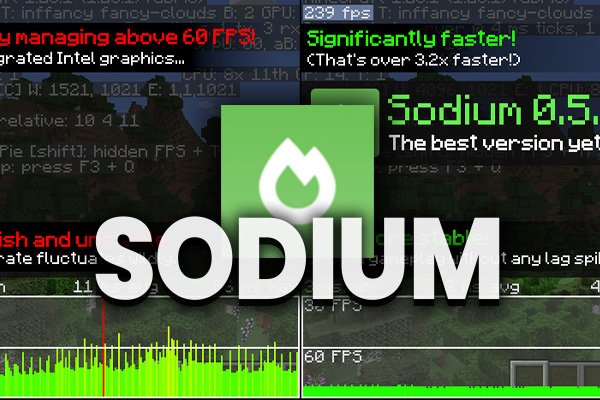
Sodium — The single biggest FPS boost you can get in Minecraft. Sodium rewrites the game’s rendering engine from scratch, and the difference is not subtle. We’re talking 2x to 3x frame rate improvements on most hardware, sometimes more. It runs on Fabric and has zero gameplay changes — your world looks and plays exactly the same, it just runs dramatically better.
If you’re running shaders through Iris, Sodium is already included. They’re designed to work together, and Iris without Sodium doesn’t make sense.
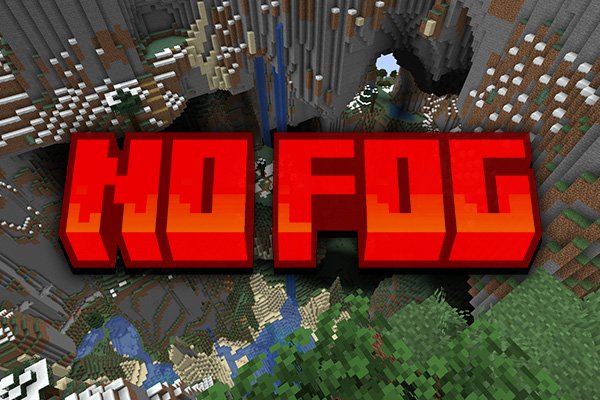
No Fog — Removes the distance fog that Minecraft uses to hide unloaded chunks. Sounds minor, but it makes a huge visual difference. Your render distance actually looks like your render distance. Sunsets become clearer. Mountain views open up instead of fading into a grey wall. Pairs extremely well with any shader pack because shaders often add their own atmospheric fog that looks ten times better than the vanilla version.
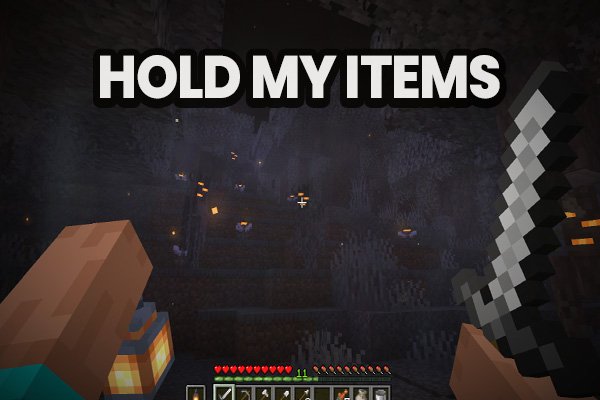
Hold My Items — A quality-of-life mod for item management. Small and practical. The kind of thing you forget is a mod because it feels like it should’ve been in the game from the start.
Why Performance Mods Matter More Than You Think
Here’s the thing most people get wrong about Minecraft modding: they jump straight to shaders and resource packs, wonder why the game runs like garbage, and blame their hardware. The problem usually isn’t your PC — it’s the game itself.
Vanilla Minecraft’s renderer was written years ago and has barely been modernized. It uses one CPU core to do work that should be spread across many. It wastes VRAM on things it doesn’t need to render. It loads chunks inefficiently. Installing a shader pack on top of this broken foundation is like putting a spoiler on a car with a flat tire.
Performance mods fix the foundation first. Install Sodium and suddenly your “low-end” PC is pulling 120 FPS on vanilla. Add a shader like BSL Shaders or Complementary Reimagined on top and you’re still hitting playable frame rates where before you were stuck at 15 FPS with stuttering.
This is why the AnvilPacks mod catalog exists alongside the shader and resource pack catalogs. The three categories aren’t separate — they’re layers that stack.
How to Install Minecraft Mods on Java Edition
Mods on Java Edition require a mod loader. The two main options:
Fabric — The modern, lightweight mod loader. Most performance mods (Sodium, Iris, No Fog) run on Fabric. It’s fast to install, fast to update, and doesn’t bloat your game. If you’re here for shaders and performance, Fabric is what you want.
Forge — The older, heavier mod loader. Still necessary for big modpacks and complex content mods (Twilight Forest, Create, etc.), but worse for performance-focused setups. Most mods in the AnvilPacks catalog prefer Fabric.
Installation is straightforward:
- Install your mod loader (Fabric guide here).
- Download the
.jarfile for your mod. - Drop it into the
modsfolder inside your.minecraftdirectory. - Launch the game with the correct Fabric or Forge profile.
If you’re stacking mods with shaders, the install order matters: Fabric first, then Sodium, then Iris, then your shader pack. The Iris installation guide walks through this exact process.
The Recommended Stack
Most players who optimize their game end up running some version of this combo:
Mod loader: Fabric Performance: Sodium Shader loader: Iris Visual cleanup: No Fog Shader pack: Pick one from the shader catalog — MakeUp Ultra Fast for low-end PCs, Complementary Reimagined for mid-range, Bliss Shaders if your GPU can handle it. Resource pack: Stay True for a faithful upgrade, Bare Bones for a stylized look, or Faithful 64x for clean HD.
This stack runs well on mid-range hardware and makes Minecraft look like a completely different game. Every mod, shader, and resource pack in that list has a full review on AnvilPacks.
Performance Impact of Mods
Performance mods don’t cost FPS — they give it back. That’s the whole point.
- Sodium — Expect 2x to 3x FPS improvement. Zero visual changes. Zero gameplay changes.
- No Fog — Negligible performance cost. If anything, removing fog can slightly improve FPS since the game has less blending work to do.
- Hold My Items — Zero performance impact.
The mods in this catalog are specifically chosen because they don’t slow your game down. They’re the opposite — they exist to make everything else run better. Allocate proper RAM on top of these and you’ve got the best foundation possible for running heavy shaders and HD resource packs.
Mods vs Resource Packs vs Shaders — What’s the Difference?
The three categories do completely different things, and you can run all of them at the same time:
- Mods = change how the game works. Performance, new features, mechanics. Requires a mod loader.
- Resource packs = change how blocks and items look. Textures, GUI, sounds. No mod loader needed for basic packs.
- Shaders = change how the world is rendered. Lighting, shadows, water, atmosphere. Requires OptiFine or Iris.
Think of it as layers. Mods fix the engine. Resource packs re-skin the blocks. Shaders re-light the world. The three layers don’t interfere with each other — they stack.
Mod Version Compatibility
Every mod in the catalog lists its supported Minecraft versions. Most performance mods stay current with the latest release within days. The catalog covers mods for Minecraft 1.18.X, 1.19.X, 1.20.X, and 1.21.X.
One thing to watch: Fabric mods don’t work with Forge, and Forge mods don’t work with Fabric. If you’re mixing mods from different loaders, the game won’t launch. Check the mod loader requirement on each review page before downloading.
Why Download Mods from AnvilPacks
The AnvilPacks mod catalog is smaller than the shader or resource pack catalogs on purpose. We don’t list every mod ever created — we list the mods that work, that are maintained, and that make sense alongside our shader and resource pack reviews. Every mod is tested, credited to its original developer, and linked directly to the official download page. Nothing rehosted, nothing bundled with ads, nothing sketchy.
If a mod breaks after an update, we say so. If a mod conflicts with a popular shader, we mention it. The goal is the same as the rest of the site: honest information so you can make your own decision.
Pick a mod below, read the review, and build your stack from the ground up.
Popular Texture Packs

XRay Texture Pack
Fresh Animations Texture Pack
Bare Bones Texture Pack
Visible Ores Texture Pack
Minecraft Versions

1.21.X Texture Packs
1.20.X Texture Packs
1.19.X Texture Packs
1.18.X Texture Packs
Resolutions

8x Texture Packs

16x Texture Packs

32x Texture Packs

64x Texture Packs

128x Texture Packs

256x Texture Packs

512x Texture Packs