Aurora's Shaders Download 1.21.11
The Most Beautiful Night Skies in Minecraft?
Does your Minecraft world feel a little… flat? You’ve built the perfect castle or a cozy cottage, but when the sun goes down, you’re left with the same old grey darkness and square moon. If you are tired of the standard look and want to inject pure magic into your game, it’s time to talk about Aurora’s Shaders.
This isn’t just another hyper-realistic pack trying to make Minecraft look like real life. Instead, Aurora’s Shaders leans heavily into a “fantasy” aesthetic. As the name suggests, it specializes in transforming the atmosphere—specifically the night sky—into a visual masterpiece.
Whether you are exploring the Overworld in version 1.21 or building in Creative mode, this shader pack balances stunning “Vanilla+” aesthetics with surprising performance. Let’s dive into why this might be the upgrade your monitor has been waiting for.
The Night Sky (The Star Feature)
Let’s not bury the lead here. You download this pack for one main reason: the Aurora Borealis.
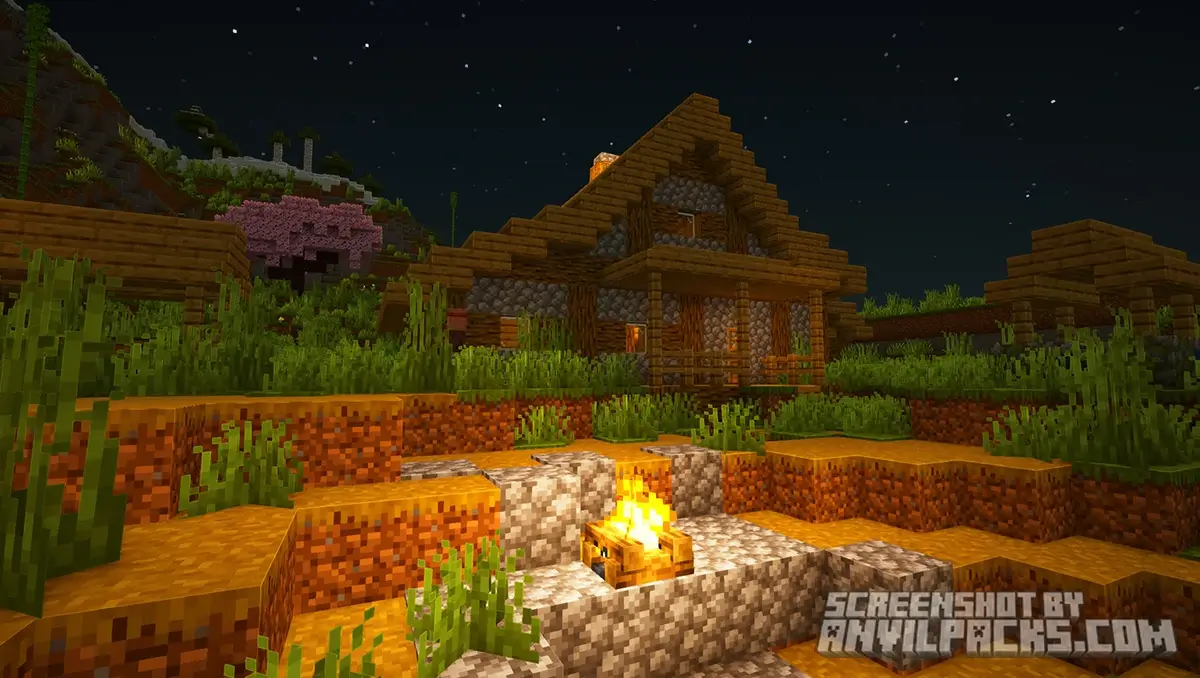
When night falls, the sky doesn’t just turn black; it erupts into ribbons of ethereal light. We aren’t talking about a static texture, either. The auroras animate slowly, shifting between vibrant neon greens, deep magentas, and soft purples. It turns a standard night cycle into an event you actually want to watch.
Note: The light from the auroras actually casts a subtle glow on the terrain, meaning you can navigate the dark without placing torches everywhere. It’s immersive and practical.
Lighting & Colors: The Fantasy Vibe
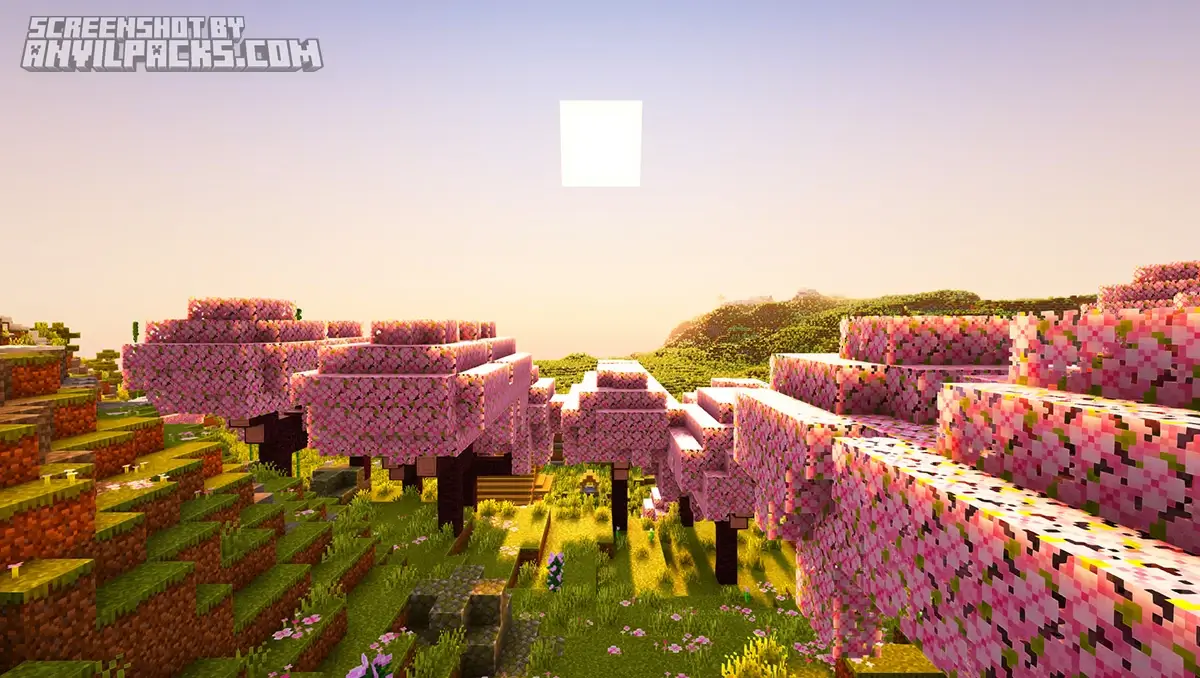
During the day, Aurora’s Shaders moves away from the “bleached” look of some realistic shaders. The lighting is warm, saturated, and distinct.
-
Sunrises/Sunsets: Expect deep oranges and intense bloom effects.
-
Shadows: They are soft and blue-tinted, mimicking how light scatters in a fantasy illustration.
-
Biomes: Lush biomes like Jungles and Forests feel significantly more vibrant.
Water & Reflections
The water here is stylized. It features soft reflections that mirror the sky beautifully without demanding the heavy processing power of ray-tracing. It ripples gently, fitting perfectly with the “chill” vibe of the pack.
Before & After Comparison
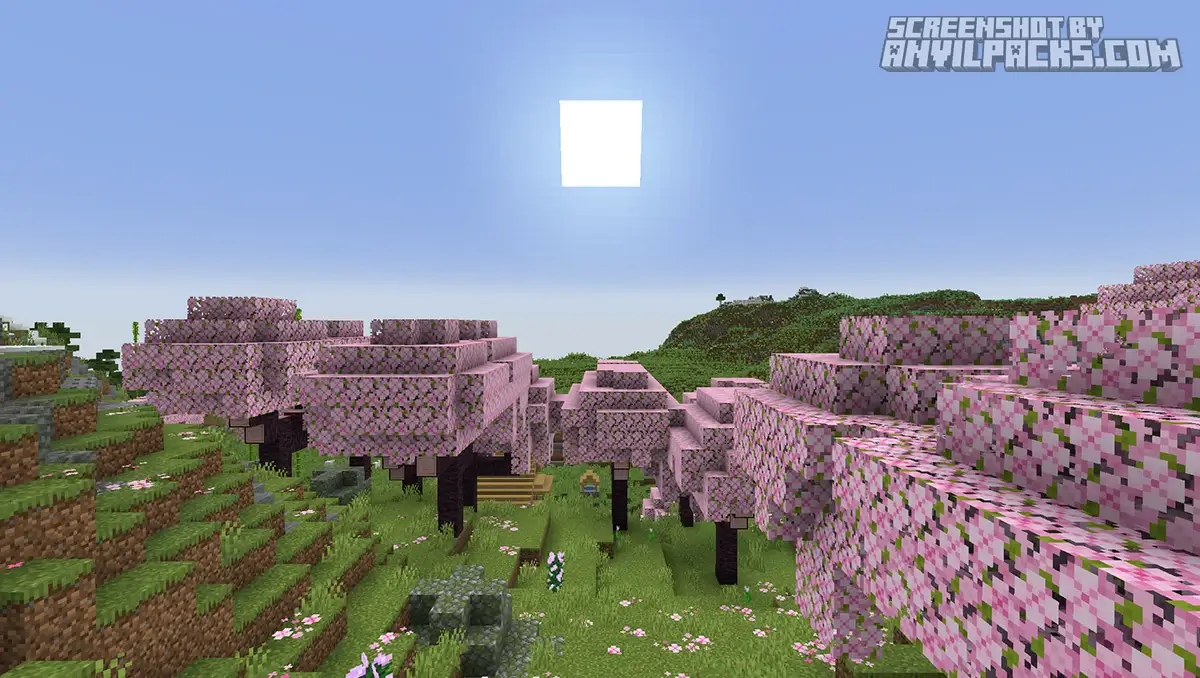
Compare Aurora’s Shaders to default Minecraft Look.
Performance Test: Can Your PC Run It?
We know what you’re thinking: “This looks pretty, but will my PC explode?”
As the Technical Compliance Officer here at AnvilPacks, I ran this on a few different rigs to give you the honest truth.
-
The Engine: Runs best on Iris + Sodium (highly recommended for 1.21+), but supports OptiFine.
-
Performance Rating: Medium.
-
Optimization: Excellent. Because it focuses on artistic style rather than calculating individual light rays (path-tracing), it is surprisingly lightweight.
Recommended Specs for 1080p @ 60 FPS:
-
GPU: GTX 1660 Super / RTX 3050 or equivalent.
-
RAM: 4GB allocated to Minecraft.
-
CPU: Any modern mid-range processor (Ryzen 5 / Intel i5).
If you are playing on a high-end integrated graphics card (like a newer AMD APU), you might squeeze out 30-40 FPS on “Low” settings, which is still playable for a survival playthrough!
Settings Guide: Tweak It to Perfection
One of the best parts of Aurora’s Shaders is the customizability within the Shader Options menu. Here are my top tweaks to get the best experience:
-
Aurora Intensity: If the night sky is too bright for your taste, you can lower the opacity here. I recommend keeping it at 1.0 for the full experience.
-
Volumetric Clouds: This adds fluffy, 3D clouds to the sky. It looks amazing but hits your FPS hard. Turn this OFF if you are struggling to maintain 60 FPS.
-
Waving Plants: Ensure this is enabled for leaves and grass to get that windy, living world feeling.
Our YouTube Video & Screenshots
Watch our Youtube video about Aurora’s Shaders
Version Compatibility
Aurora’s Shaders is fully compatible with Java Edition versions from 1.20.1 up to the latest 1.21.x
Aurora's Shaders - My Honest Verdict
Aurora’s Shaders enters a crowded market of Fantasy Shaders for Minecraft, but it stands out by mastering one specific niche: the atmosphere. It transforms the game from a survival sandbox into a playable painting.
-
Pros: Absolutely stunning night skies (best in class), distinctive color palette, great performance-to-visual ratio.
-
Cons: The saturated colors might be too “cartoonish” for players seeking strict photorealism.
-
Final Score: 9/10 (Atmosphere King)
If you want to stop just playing Minecraft and start feeling it, this is the pack for you.
Download Aurora’s Shaders
[1.20 - 1.21.X] Download Aurora's Shaders
Free download — redirects to the official pack page.
Explore More Shader Packs
Explore More Texture Packs
How to Install Aurora's Shaders?
- Download the shader pack using the button below.
- Install Iris or OptiFine — Iris is recommended for better performance and smoother FPS.
- Open Minecraft Launcher and select the Iris or OptiFine profile.
- Start the game.
- In Minecraft, go to:
Iris: Options → Video Settings → Shader Packs
OptiFine: Options → Video Settings → Shaders
- Click Open Shader Pack Folder and move the downloaded ZIP file into it.
- Go back to Minecraft, select your shader from the list, and click Done or Apply.
- Credits: Full credit for creating Aurora’s Shaders goes to CrafterAurora.
- Please note that none of the files are hosted on our servers — all Download Links redirect to the official Pack page to support the creator.
- Every pack is thoroughly checked and confirmed to be free from viruses, ensuring a completely safe and secure download experience for all users.