Insanity Shaders Download 26.2 / 26.1.2 / 1.21.11
Insanity Shader – Best Horror Shaders Minecraft
Most shader packs try to make Minecraft beautiful. Insanity goes the other direction. It makes Minecraft feel genuinely threatening — dark forests, pitch-black nights, heavy fog, and an atmosphere that makes you think twice before leaving your base after sundown. It’s a horror-themed shader pack built for players who want a completely different emotional experience from the game. And with nearly 5 million downloads on Modrinth and 29 million on CurseForge, it’s clearly hit a nerve.
One important thing to know upfront: the latest version is 1.650, released in June 2024. The pack supports up to 1.21.3 — if you’re on 1.21.4 or newer, it still works. The creator, ElocinDev, has since moved on to a successor project called Hysteria Shaders. Insanity is no longer in active development.
What It Does
Insanity is built on top of BSL Shaders by CaptTatsu — so the technical foundation is solid. ElocinDev took that base and pushed it in a completely different aesthetic direction, expanding the customization options and reworking the atmosphere from the ground up.
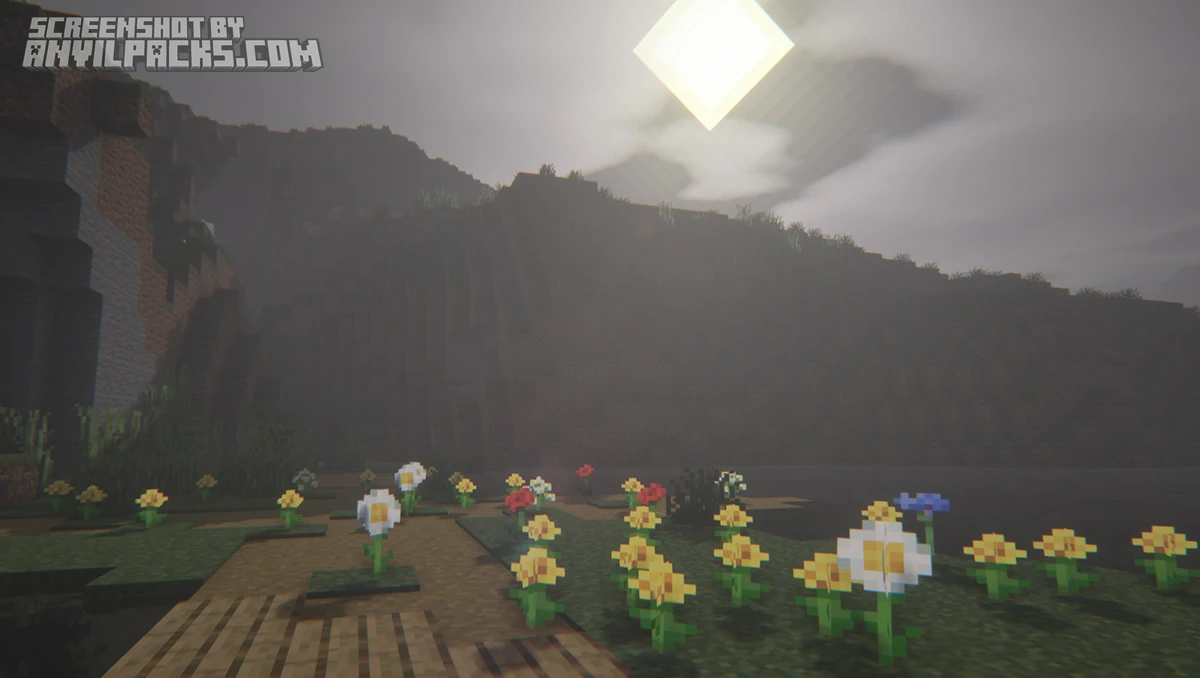
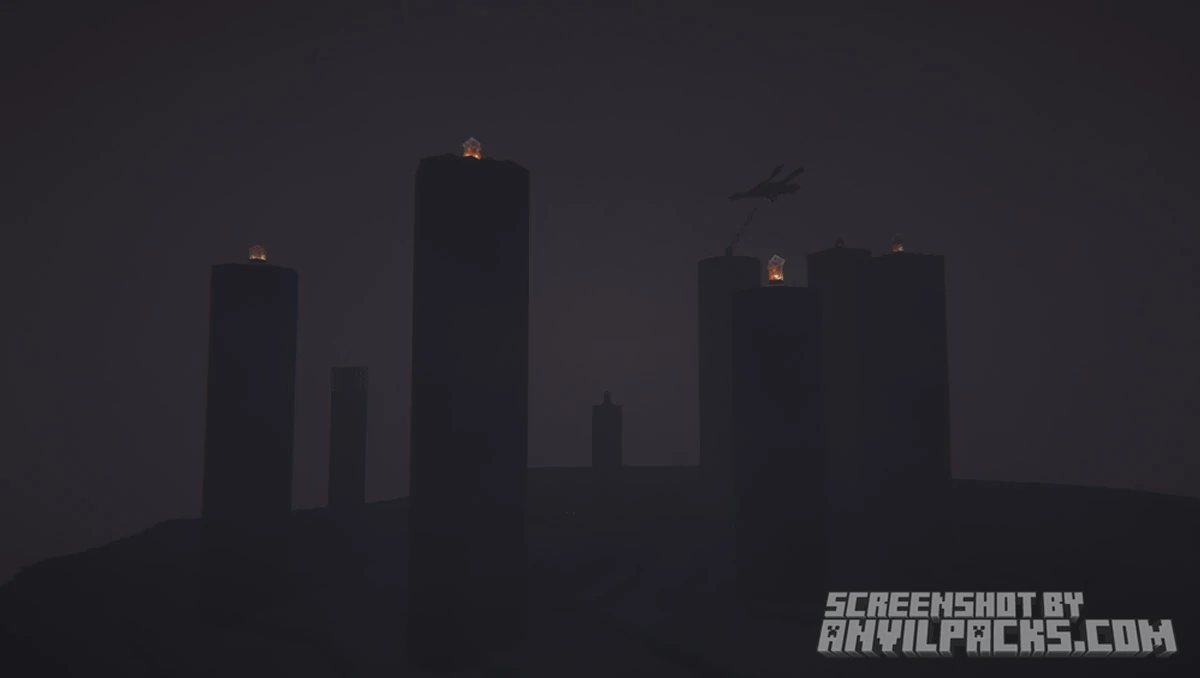
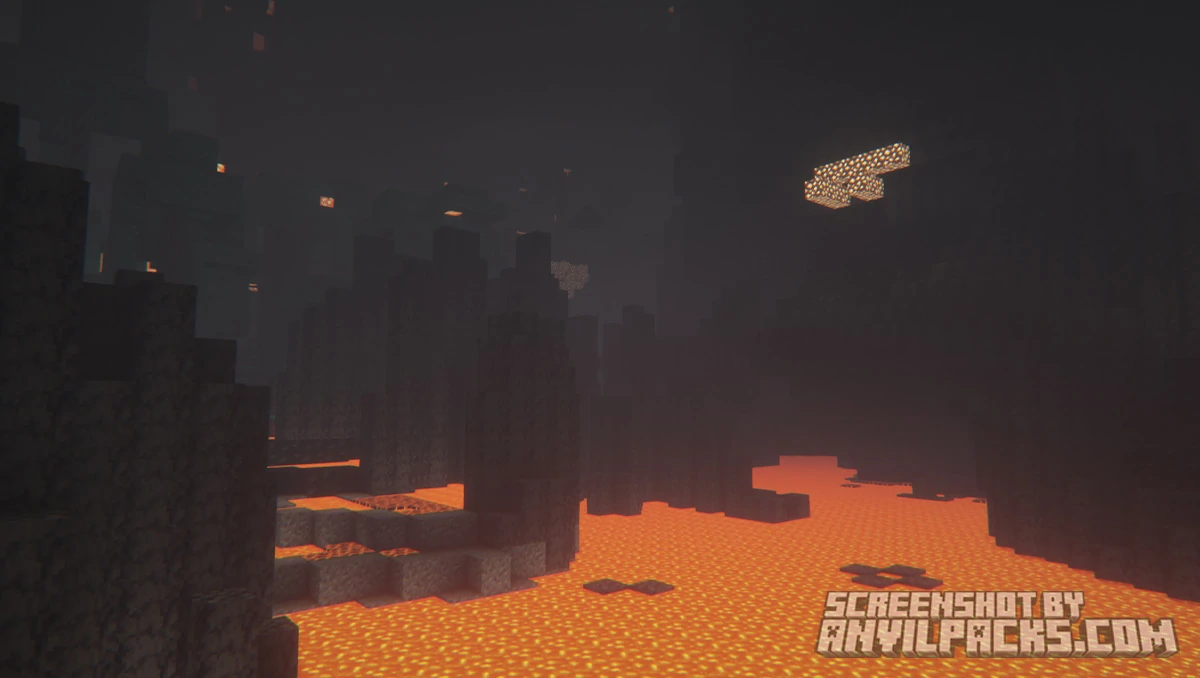
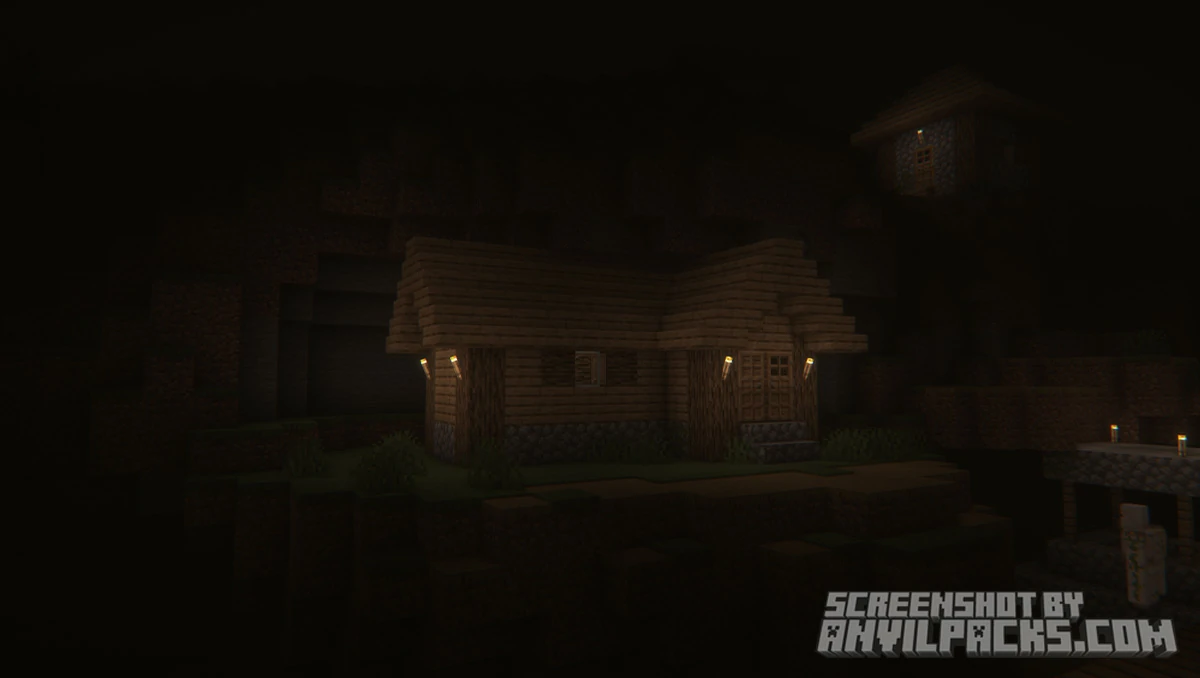
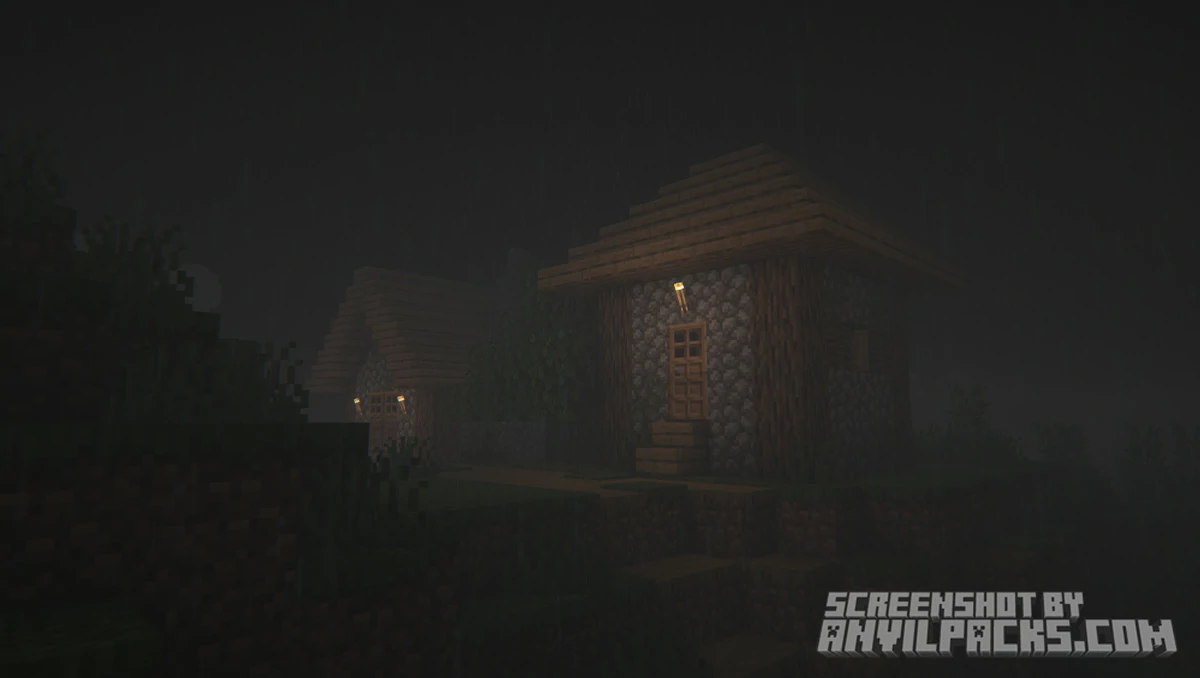
The defining feature is darkness. Not just “slightly darker than vanilla” darkness — actual oppressive, disorienting darkness. The night cycle in Insanity is brutal. Without a torch, you can’t see much beyond a few blocks. Caves are claustrophobic. The Nether feels genuinely hellish rather than just orange. The End becomes an unsettling void you don’t want to spend time in. The creator puts it plainly: always bring torches.
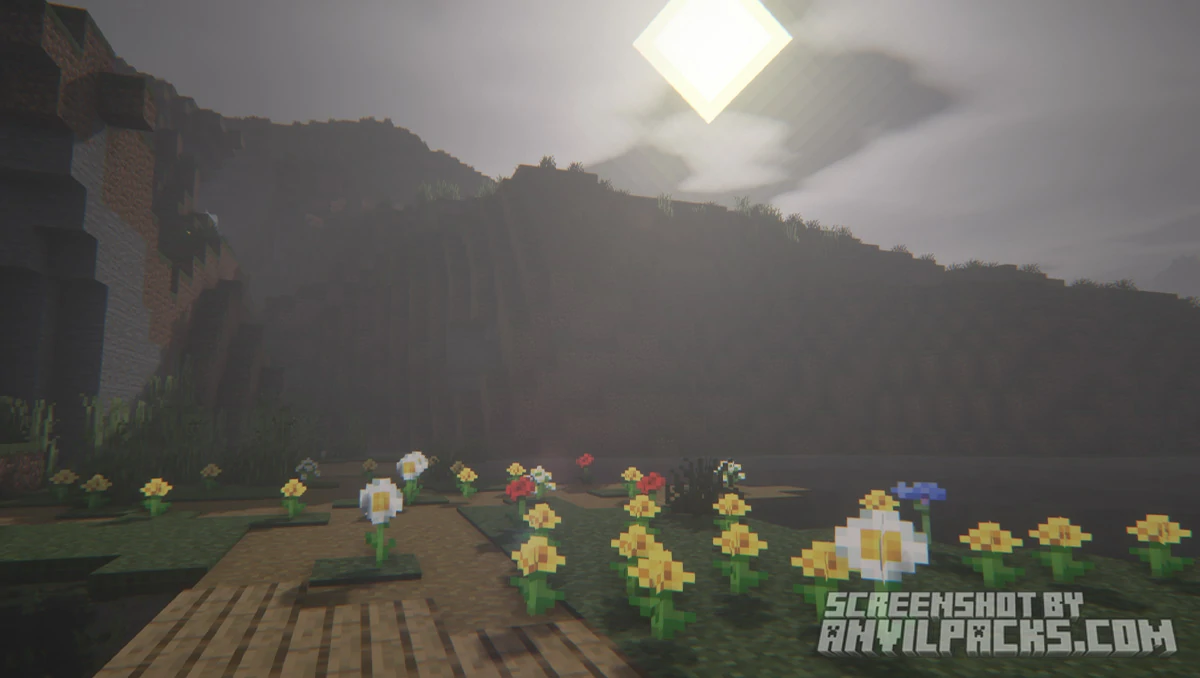
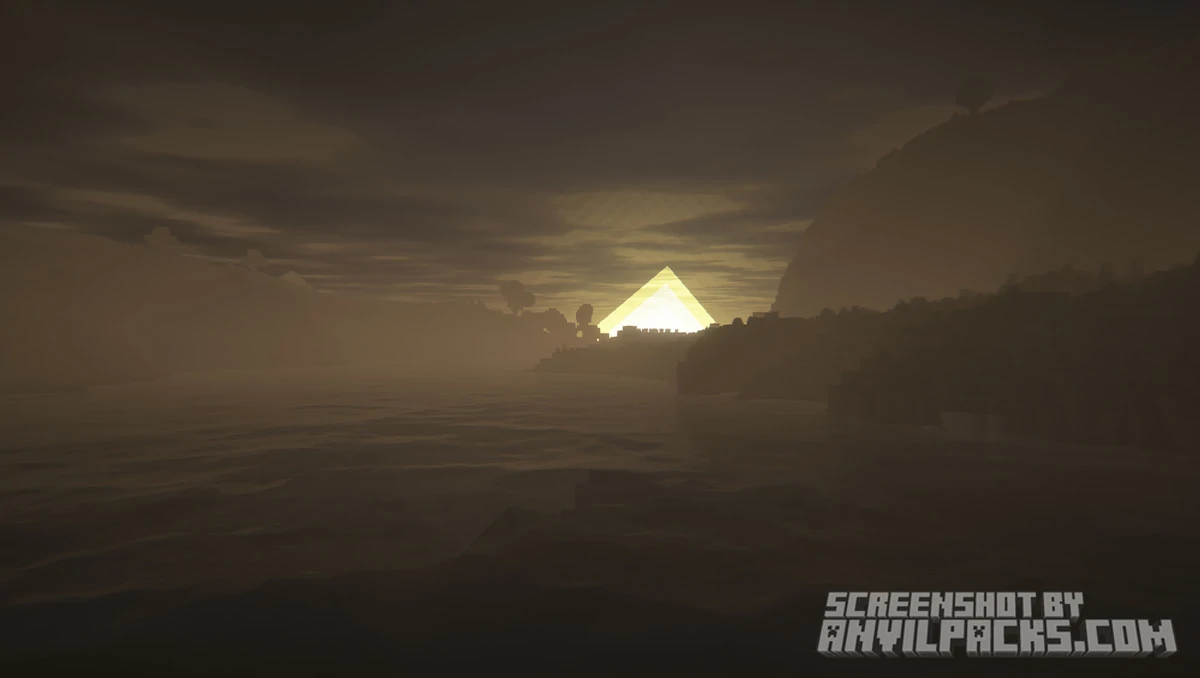
Weather gets a major overhaul too. Fog rolls in during rain. Mornings feel heavy and damp. Storms are dramatic and a little scary. It’s immersive in a way that makes familiar biomes feel completely different — a plains biome at night under Insanity looks nothing like the cozy place you know from vanilla.
Foliage gets denser and darker. Forests stop feeling like nice places to harvest wood and start feeling like places something could be watching you from. Combined with the deep shadows and volumetric-style fog, the visual effect is consistently unsettling.
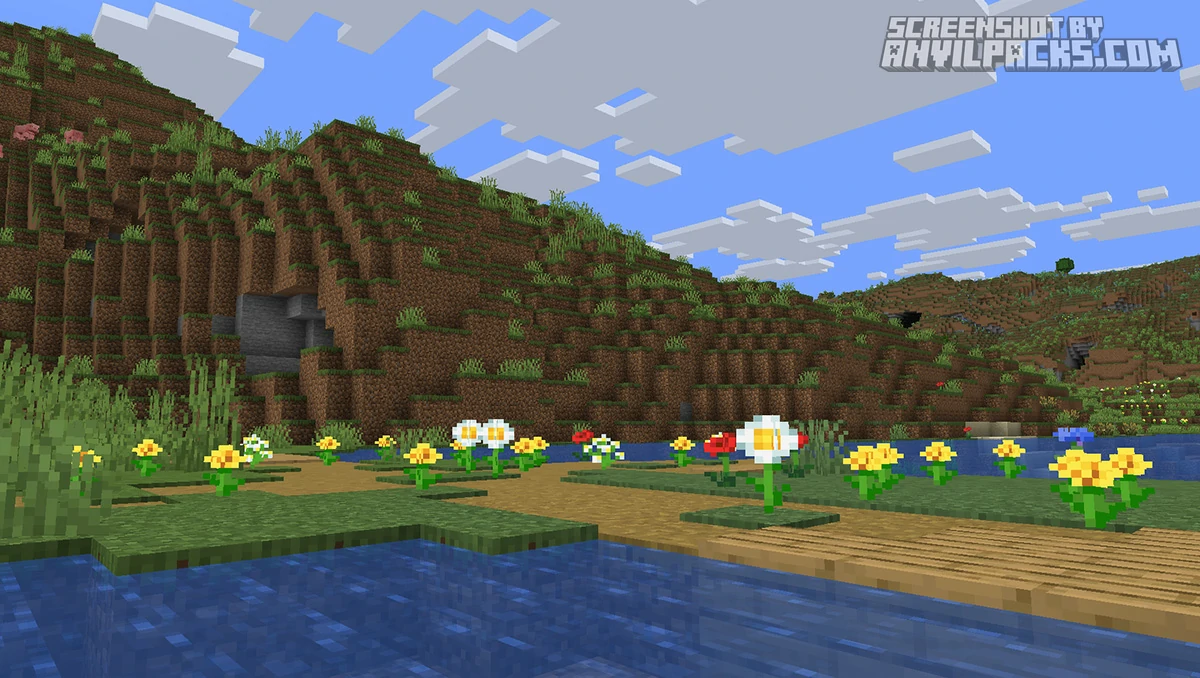
Here’s how it looks side by side with vanilla.
Before & After Comparison
Compare Insanity Shaders to default Minecraft Look.
Performance and Comparisons
Despite the horror atmosphere, Insanity is tagged as a low-performance-cost shader on Modrinth, and it earns that tag. It runs on most modern PCs without demanding high-end hardware. There are six built-in presets — Balanced, Quality, Cinematic, Best Performance, and Performance — which give you real control over the FPS-vs-visuals tradeoff. The Balanced preset is a reasonable starting point for most players.
Compared to BSL Shaders — its direct ancestor — Insanity is noticeably heavier on atmosphere but comparable in performance. If you’re currently running BSL without issues, you should be fine here. Against something like Complementary Reimagined, Insanity trades the warm, natural beauty for a deliberately oppressive look. These packs are solving completely different problems. Complementary makes Minecraft look like a place you want to live. Insanity makes it look like a place something wants to kill you.
The customization menu is genuinely good. There’s a Quick Options panel for easy changes and a full Advanced Options menu for players who want to get granular with reflections, fog density, color grading, and more. It’s significantly more configurable than most shader packs at this performance level.
Here’s a video showing the pack in action.
Check out the screenshots below — they do a better job than words of showing just how different this looks from standard shader packs.
Our YouTube Video & Screenshots
Watch our Youtube video about Insanity Shaders
Version Compatibility
Insanity Shaders is fully compatible with Java Edition versions from 1.13 up to the latest 26.2
Insanity Shaders - My Honest Opinion
Insanity is excellent at exactly one thing: making Minecraft feel scary. If that’s what you want, it nails it. Horror modpacks, survival challenges, haunted house builds — this is the shader for all of that. The atmosphere it creates is unlike anything else in the shader space because most shaders aren’t even trying to do what Insanity does.
If you are on a compatible version, though, this pack is worth installing just to see what Minecraft looks like through a horror lens. Even if you don’t use it as your daily driver, it’s a genuinely different experience.
The verdict: Best horror shader pack available, full stop. But check your Minecraft version before downloading — if you’re on 1.21.4+, wait for Hysteria Shaders instead.
Download Insanity Shaders
[1.16.5 - 26.2] Download Insanity Shaders
Free download — redirects to the official pack page.
Explore More Shader Packs
Explore More Texture Packs
How to Install Insanity Shaders
- Download the shader pack using the button below.
- Install Iris or OptiFine — Iris is recommended for better performance and smoother FPS.
- Open Minecraft Launcher and select the Iris or OptiFine profile.
- Start the game.
- In Minecraft, go to:
Iris: Options → Video Settings → Shader Packs
OptiFine: Options → Video Settings → Shaders
- Click Open Shader Pack Folder and move the downloaded ZIP file into it.
- Go back to Minecraft, select your shader from the list, and click Done or Apply.
- Credits: Full credit for creating Insanity Shaders goes to ElocinDev.
- Please note that none of the files are hosted on our servers — all Download Links redirect to the official Pack page to support the creator.
- Every pack is thoroughly checked and confirmed to be free from viruses, ensuring a completely safe and secure download experience for all users.