Hysteria Shaders Download 26.1.2
Hysteria Shaders – Best Horror Shaders Minecraft
The Overworld at noon looks fine. Friendly. Safe. That’s the problem.
If you’ve ever tried to run a horror modpack, you know the feeling — you’ve got terrifying mobs, dark dungeons, jump scares — and then you look up and there’s a cheerful blue sky with fluffy clouds. The atmosphere is completely broken. Vanilla lighting doesn’t care about your mood.
Hysteria Shaders was built specifically for this. It’s an atmospheric, horror-themed shaderpack that makes Minecraft feel genuinely unsettling. Not just “dark with a blue tint” — actually eerie. It’s the official successor to the popular Insanity Shader, rebuilt from the ground up on top of Photon Shaders with a full set of modern features that Insanity never had.
2.39 million downloads on Modrinth. This one has an audience.
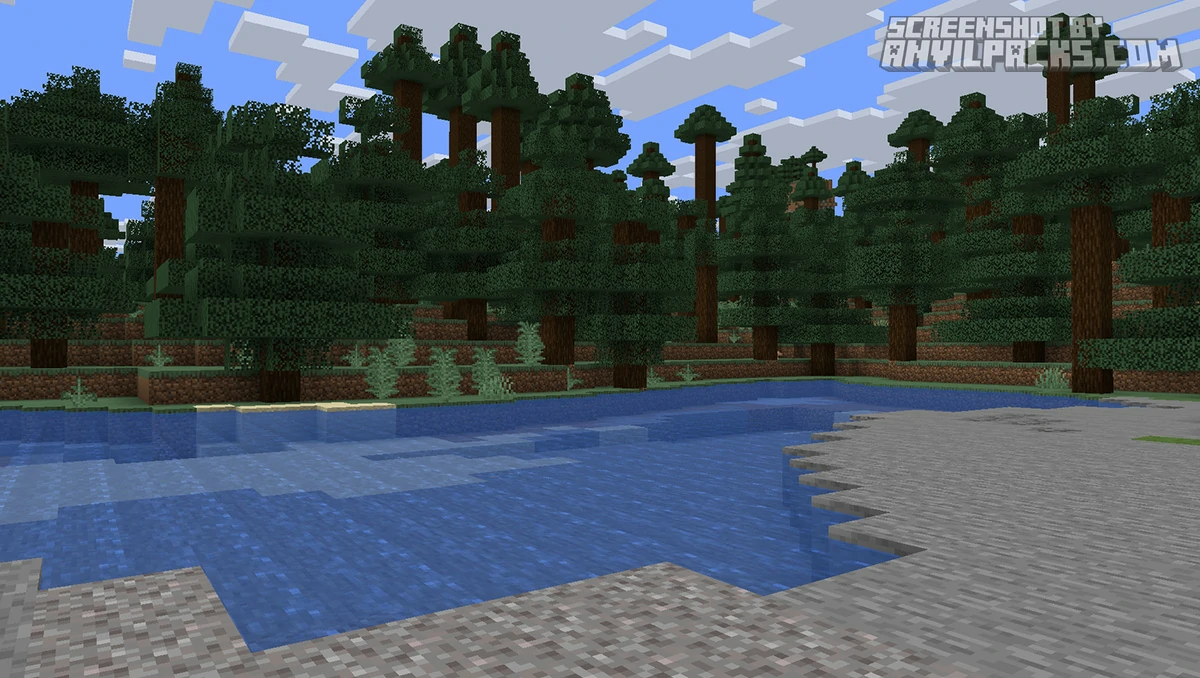
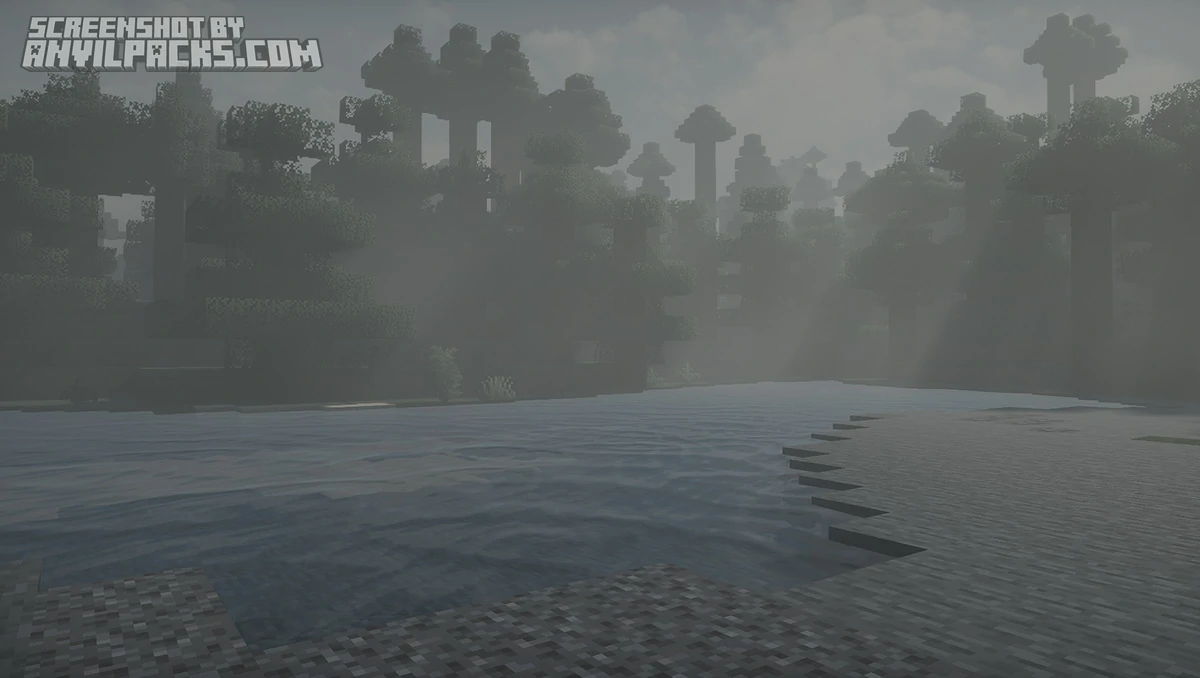
Before & After Comparison
Compare Hysteria Shaders to default Minecraft Look.
What Hysteria Actually Does
The core philosophy is simple: everything should feel slightly wrong.
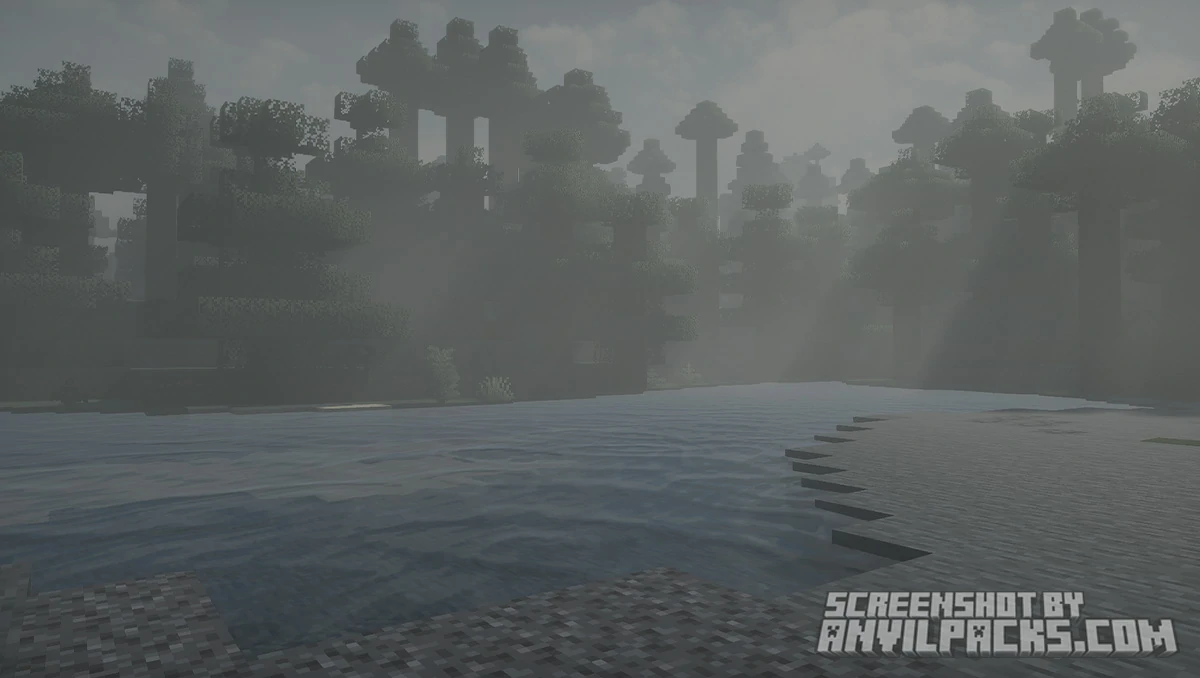
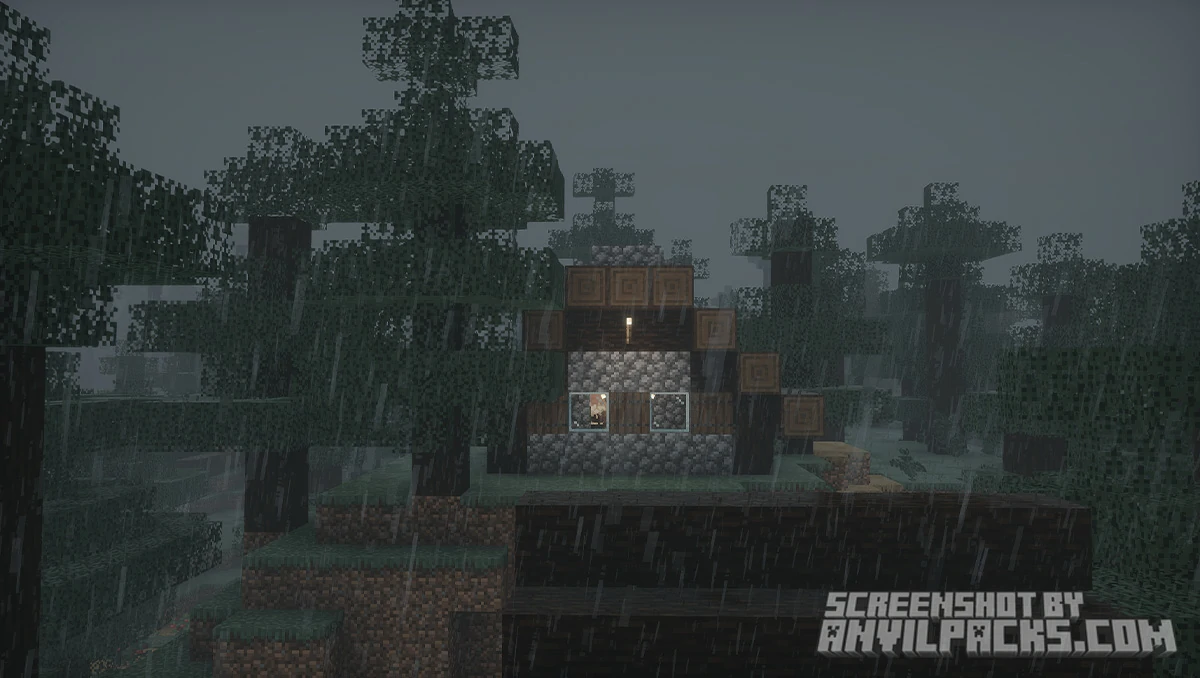
Hysteria leans hard into fog. Ground-level fog sits in valleys and low areas, making distance feel threatening rather than scenic. Distant fog cuts off the horizon — you can’t see far, and that’s intentional. Combined with the volumetric cloud system, the sky rarely looks welcoming. Overcast days are the norm, not the exception.
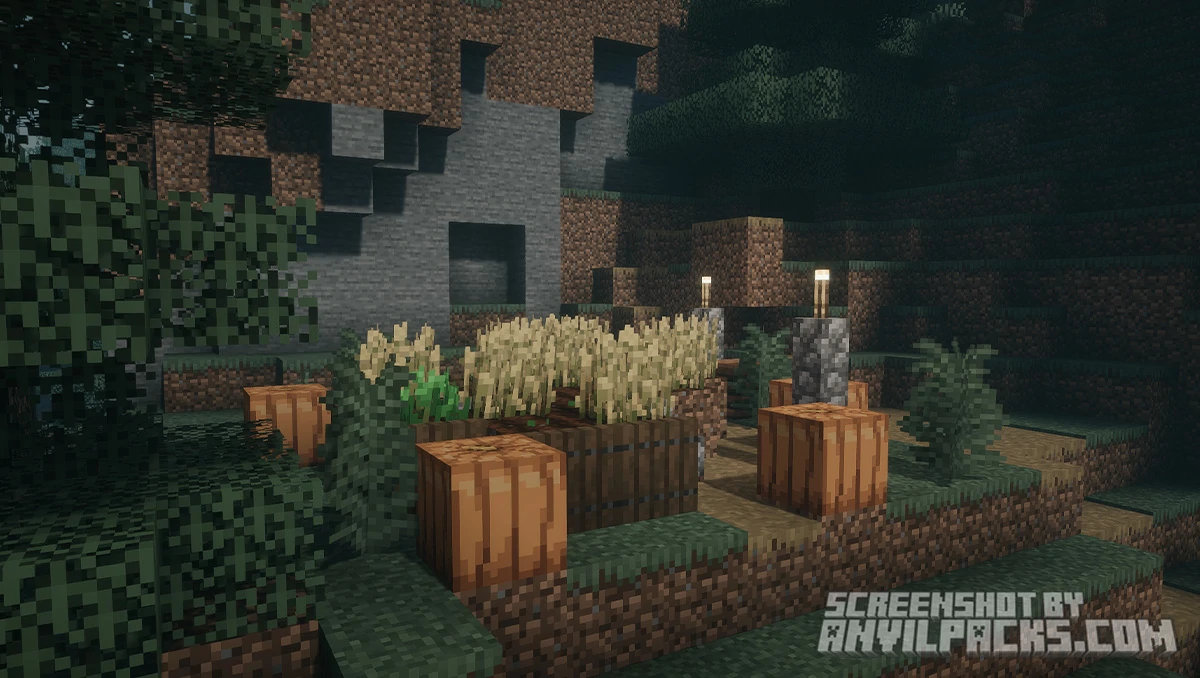
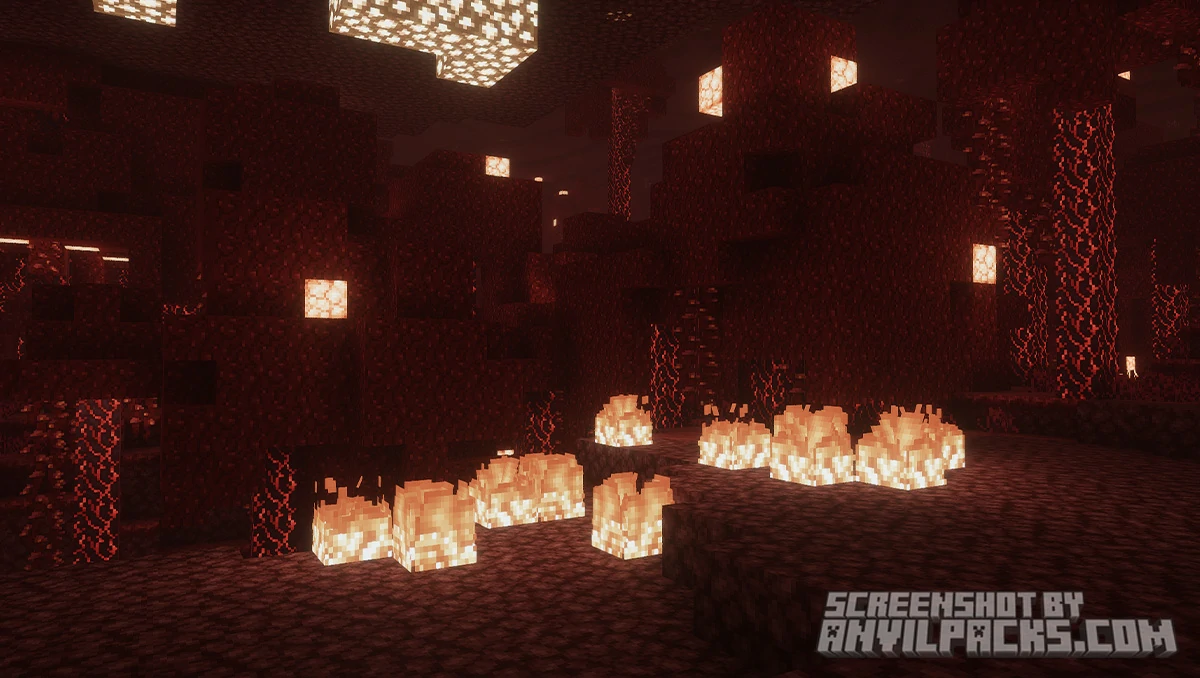
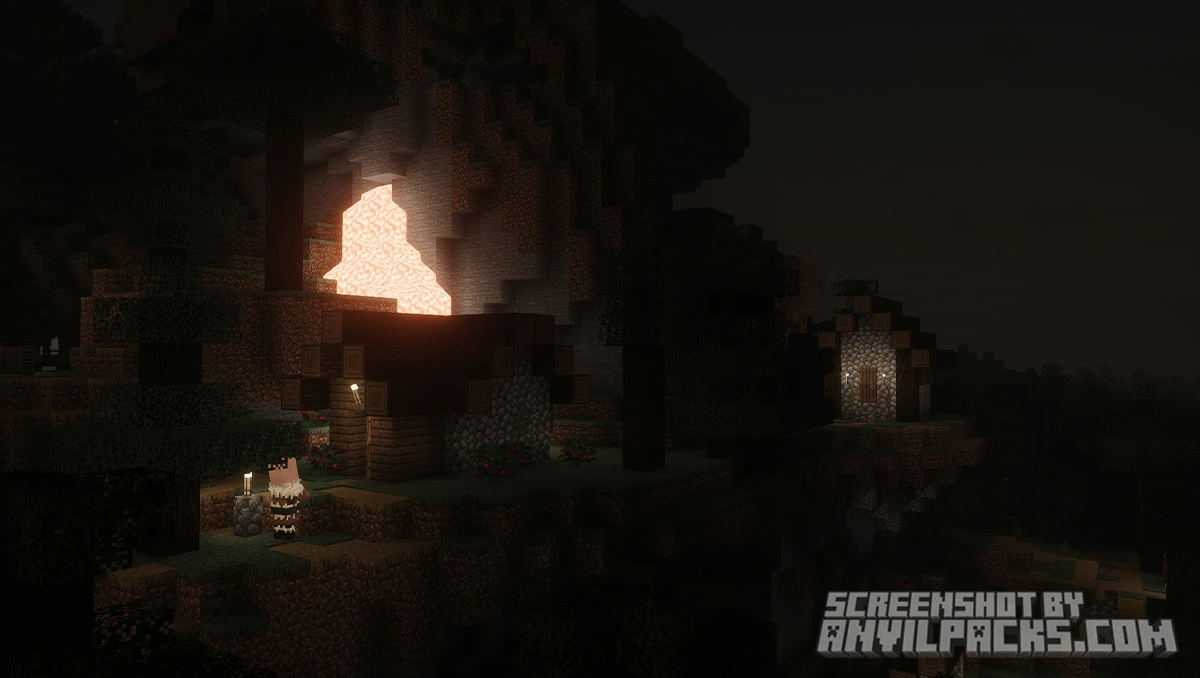
The lighting is where this pack really separates itself. Torches and other light sources cast colored light, so a torch in a cave gives you that warm orange glow — but it barely holds back the dark beyond its radius. The Nether and End are noticeably worse than in other shaderpacks. Where most shaders make the Nether look dramatic and almost beautiful, Hysteria makes it look genuinely hostile. Dark corners are actually dark. You’ll want more torches than you think.
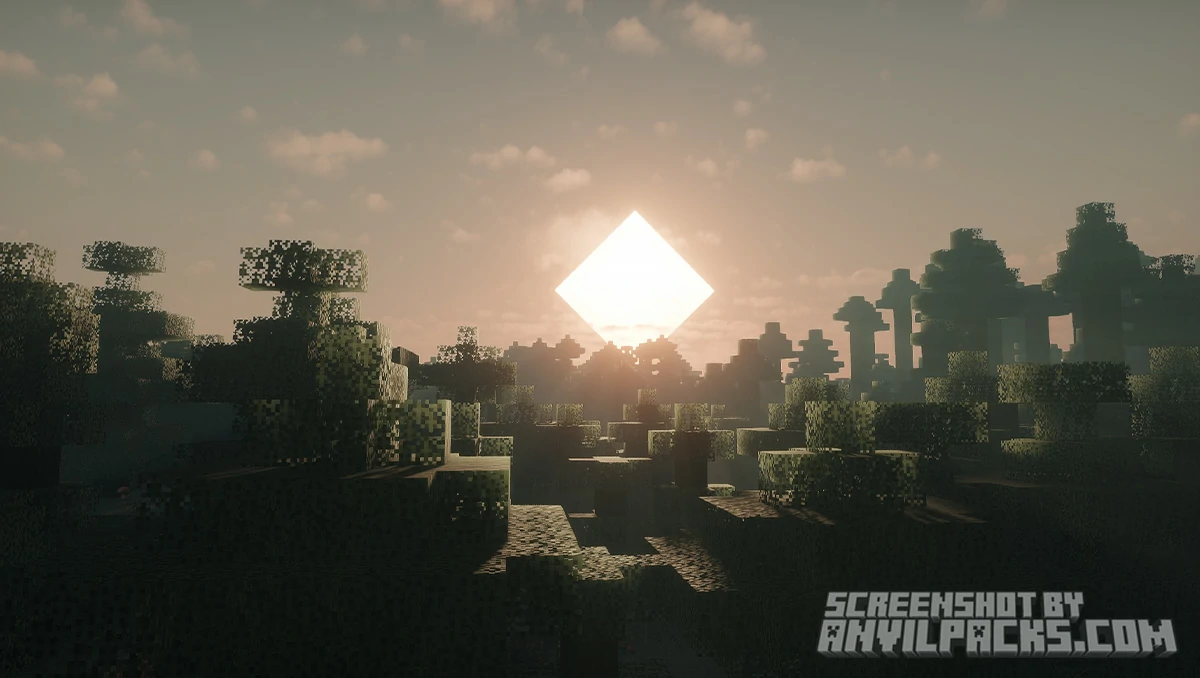
Weather is dynamic. Cloud shapes and sky colors shift day to day, so no two sessions look identical. Some days are grey and heavy, some have an ominous yellow tint — the kind of sky that makes you check if there’s a storm coming in real life.
The foliage moves naturally in wind, and the overall color palette skews desaturated and cool. This isn’t a pack that makes your forest biome look lush and inviting. It makes it look like somewhere you might not want to be after dark.
One standout feature is Distant Horizons support (marked experimental). If you’re running a horror modpack with massive view distances, this allows the shader to render atmospheric effects — fog, haze, color grading — out to the horizon rather than cutting off at your render distance. It’s not perfectly stable yet, but for the right build it’s a significant addition.
Hysteria also supports labPBR resource packs, so if you’re pairing it with a PBR-compatible texture pack, you’ll get proper reflections and material responses on top of the atmosphere.
Performance and How It Stacks Up
Hysteria is built on Photon Shaders, which is already one of the more performance-conscious shaderpacks available. The developer describes it as better optimized than Insanity, and that tracks — Insanity was notoriously heavy for what it offered.
On a mid-range GPU (GTX 1060 / RX 580 class), expect playable framerates at default settings. The volumetric fog is the main performance cost. If you’re struggling, that’s the first slider to pull back. The in-game menu is described as user-friendly with a quick options panel, so you don’t have to dig through a hundred settings to find the relevant ones.
Compared to the atmospheric competition: BSL Shaders has a similar performance tier but leans toward a warm, natural look — the opposite of what Hysteria is going for. Complementary Reimagined is heavier and more visually polished, but again, it’s not trying to scare you. If you want straight-up horror atmosphere and you don’t want to tank your framerate, Hysteria is the right pick.
Runs on Iris and OptiFine. Supports Java Edition from 1.7.10 through 1.21.x, including 1.20.x, 1.19.x, and 1.18.x.
Our YouTube Video & Screenshots
Watch our Youtube video about Hysteria Shaders
Version Compatibility
Hysteria Shaders is fully compatible with Java Edition versions from 1.13 up to the latest 26.1.2
Hysteria Shaders - My Honest Opinion
Hysteria fills a gap that basically nothing else fills. If you want a horror atmosphere, your options before this were limited to “use Insanity and deal with the performance hit” or “slap a dark shader on and hope for the best.” Hysteria is a proper, maintained, modern option.
The fog is genuinely effective. I’ve tested plenty of shaderpacks that claim to be atmospheric and they mostly just make everything darker. Hysteria’s ground fog actually changes how spaces feel — low areas feel claustrophobic, open fields feel exposed, caves feel like places you don’t want to be alone.
Is it for everyone? Obviously not. If you want a gorgeous, sunny Minecraft world, Complementary Reimagined or Bliss Shaders will serve you better. But for horror modpacks, Halloween builds, dark fantasy servers, or anyone who just wants Minecraft to feel genuinely threatening — Hysteria is the correct answer. There’s nothing else quite like it at this performance level.
Install it. Play at night. Don’t use the Nether.
Download Hysteria Shaders
[1.16.5 - 1.21.X] Download Hysteria Shaders
Free download — redirects to the official pack page.
Explore More Shader Packs
Explore More Texture Packs
How to Install Hysteria Shaders
- Download the shader pack using the button below.
- Install Iris or OptiFine — Iris is recommended for better performance and smoother FPS.
- Open Minecraft Launcher and select the Iris or OptiFine profile.
- Start the game.
- In Minecraft, go to:
Iris: Options → Video Settings → Shader Packs
OptiFine: Options → Video Settings → Shaders
- Click Open Shader Pack Folder and move the downloaded ZIP file into it.
- Go back to Minecraft, select your shader from the list, and click Done or Apply.
- Credits: Full credit for creating Hysteria Shaders goes to ElocinDev.
- Please note that none of the files are hosted on our servers — all Download Links redirect to the official Pack page to support the creator.
- Every pack is thoroughly checked and confirmed to be free from viruses, ensuring a completely safe and secure download experience for all users.