
Faithless
- Author: StitchSprites
- Updated: 31 January, 2026
- Views: 176
- Java Edition
- 16x16
- 1.0-1.21.11
- 6.4M CurseForge downloads
Faithless Minecraft Texture Pack 26.1 / 1.21.11 Download
More Than a Texture Pack
Most resource packs change how Minecraft looks. Faithless changes how it works.
Open a brewing stand with Faithless installed and you’ll see a full brewing chart built right into the GUI. Every recipe. Every ingredient. No more alt-tabbing to the wiki. Open your inventory while holding food and the pack tells you exactly how much hunger it restores and what status effects it applies — right there on screen. Hover over a repeater and you can actually see what tick delay it’s set to without counting the tiny torch position.
This is a 16×16 resource pack with over 6.4 million downloads on CurseForge. It was built from the ground up with accessibility in mind — for players with colorblindness, dyslexia, arachnophobia, trypophobia, and hearing impairments. But here’s the thing: even if none of that applies to you, the QoL features alone make it worth installing. Faithless is the pack that plays like a mod, and it earns that tagline.
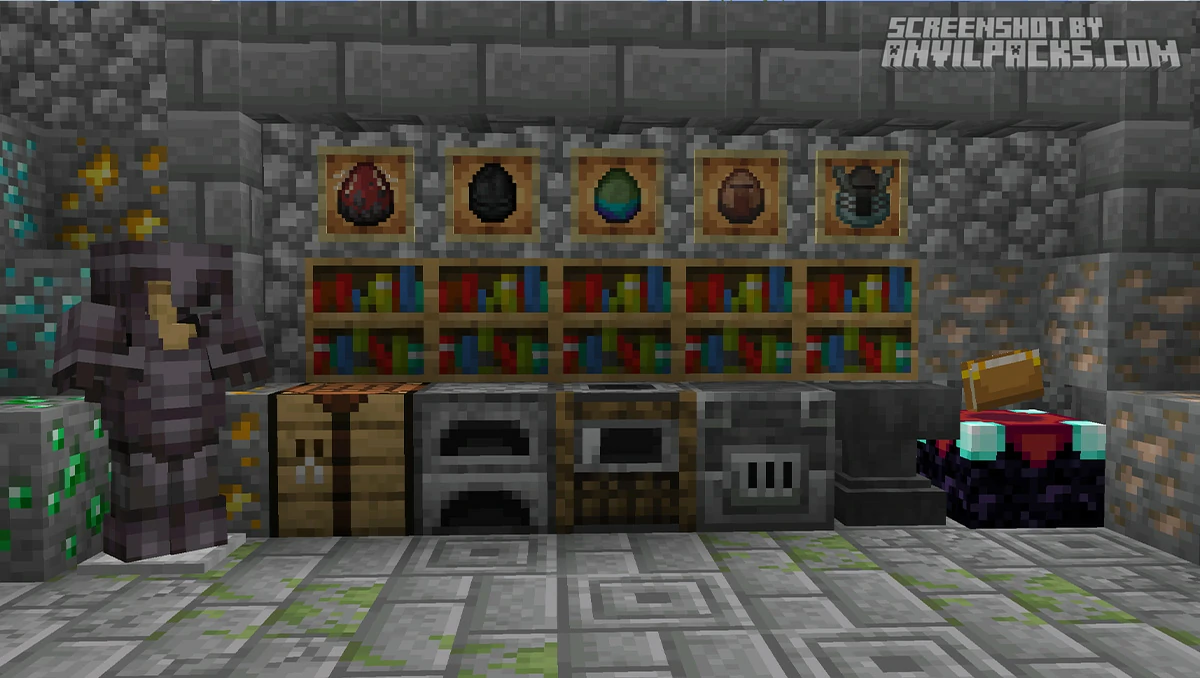
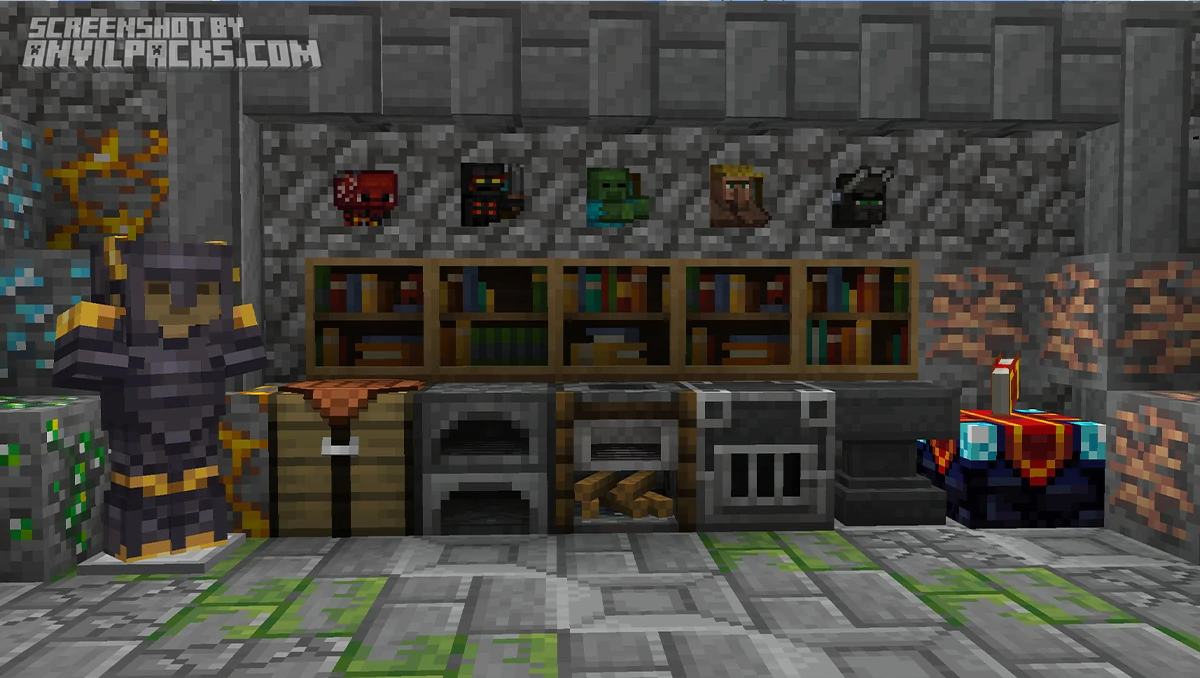
Before & After Comparison
What It Does
Faithless touches everything. Blocks, items, mobs, GUI, particles, sounds, 3D models — the whole game gets reworked. But unlike packs that just slap a new coat of paint on vanilla, every change here has a reason behind it.
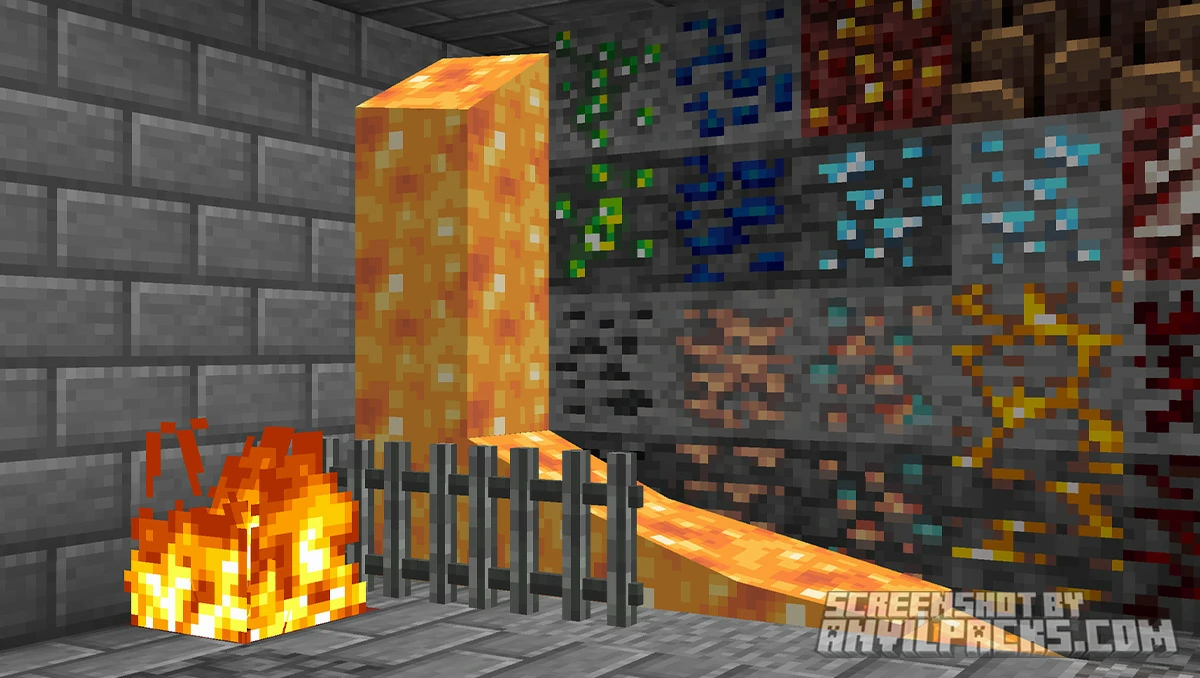
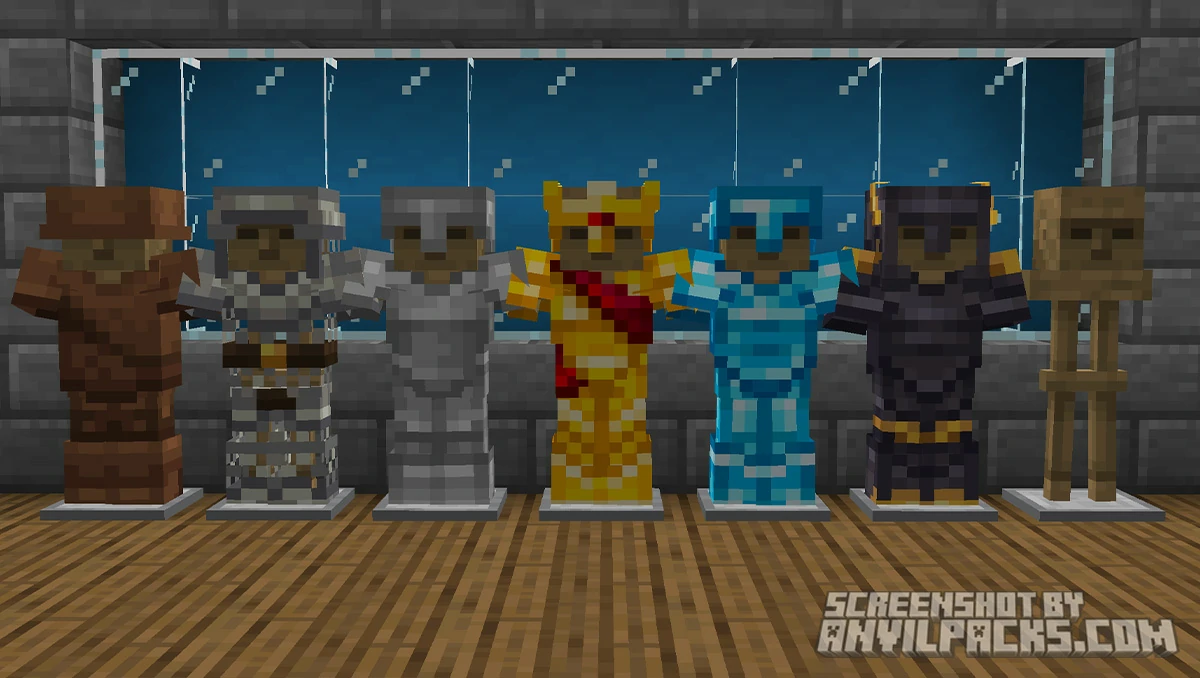
Blocks and Building. Every block gets a unique texture redesign, but the vanilla color palettes stay intact. This is a critical detail. Your builds won’t suddenly clash with modded content or look alien to other players. Oak planks are still warm brown. Stone is still gray. Deepslate is still dark. The shapes and patterns are different — more detailed, more character — but the colors are the same ones you’ve been building with for years. Beds get unique designs based on their wool color. Jukeboxes have an old-fashioned speaker detail. Crafting tables have a 3D effect that makes them feel like actual workstations instead of flat cubes.
Redstone. This is where Faithless really separates itself. Redstone components have visual indicators built into their textures. You can glance at a repeater and know its delay setting. Comparators, pistons, dispensers, droppers — the active and inactive states are much clearer than vanilla. If you do any amount of redstone work, this alone is a reason to install the pack.
Potions and Books. Every potion type has a unique bottle texture. No more squinting at slightly different liquid colors to figure out if you grabbed fire resistance or strength. Each one is visually distinct by shape and label. Books get the same treatment — enchanted books look different from regular books, and the GUI reflects this.
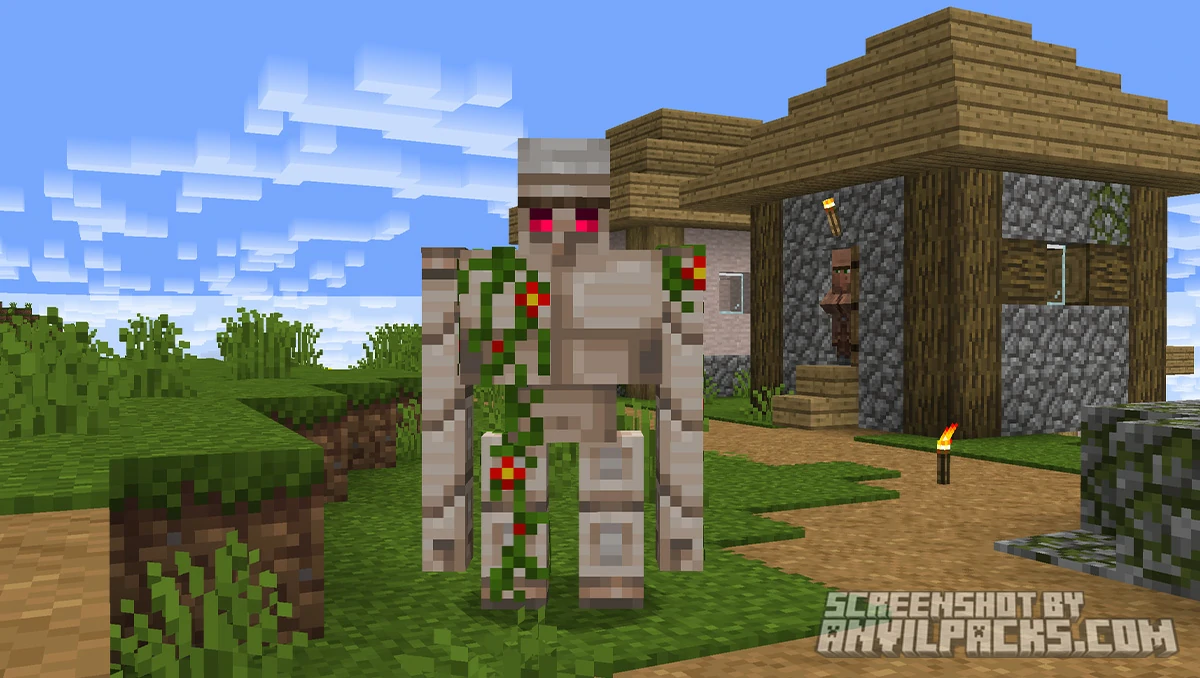
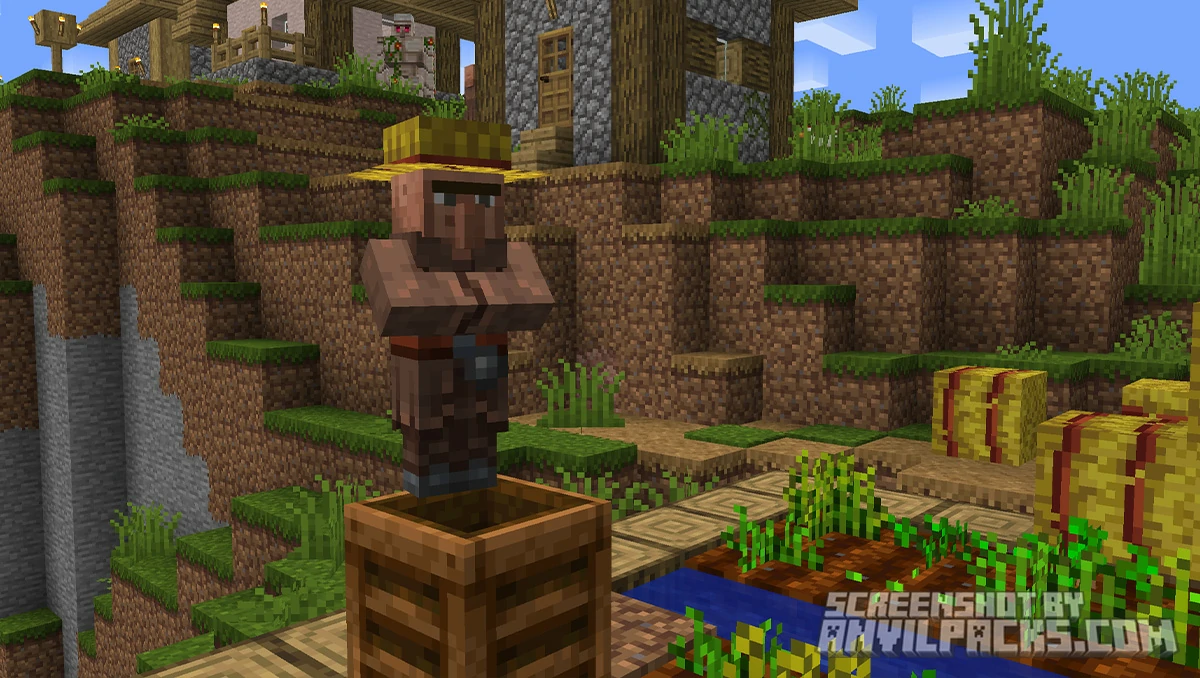
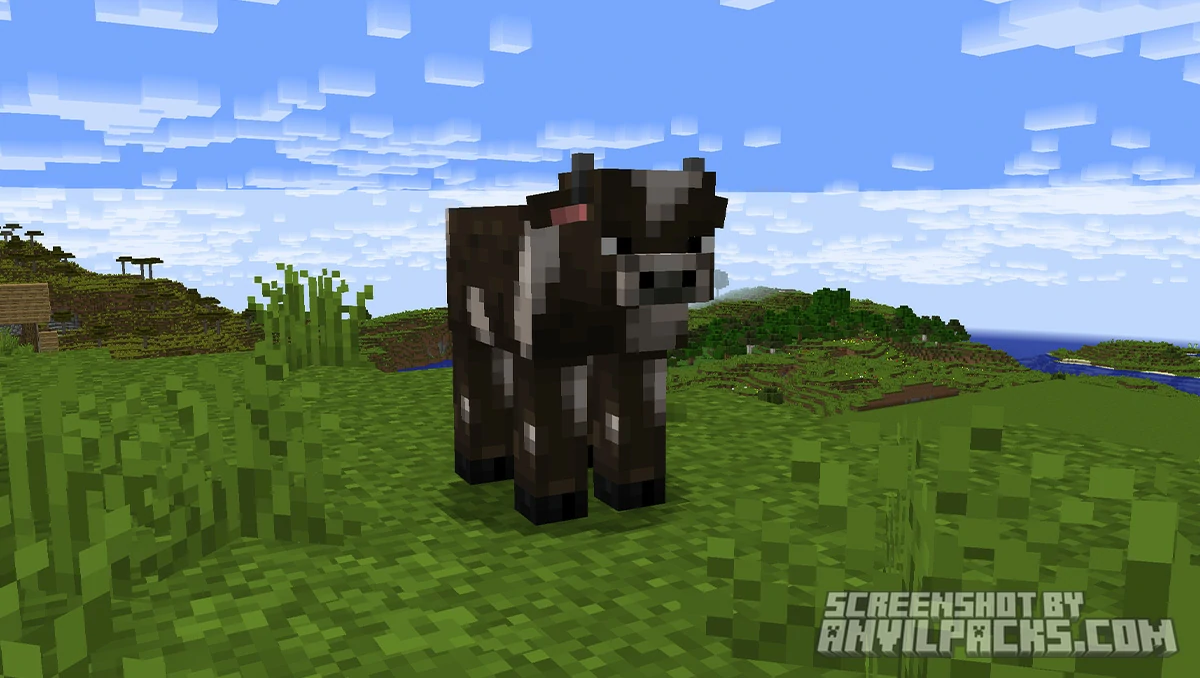
Mobs. Every creature gets a redesign. The art style pulls heavy inspiration from Minecraft’s Programmer Art era and classic community content — the developer cites music videos like Fallen Kingdom as reference points. Villagers look more human-like. The Ender Dragon has more menacing detail. Boss bars get custom textures. The pack gives mobs personality that vanilla doesn’t bother with.
Accessibility Features. This is the core of Faithless and what originally made it blow up on Reddit. Every texture is designed so that blocks and items can be identified by shape and pattern alone, not just color. For fully colorblind players, this is the difference between being able to play and not. Spiders and cave spiders are redesigned for players with arachnophobia. Sponge textures are altered for trypophobia. Subtitles and color-coded text are adjusted for readability. The developer, StitchSprites, worked directly with disabled players through Discord to design textures that actually meet their needs — not just a checkbox accessibility feature, but tested, iterated solutions.
Custom GUI. The inventory, crafting, smelting, enchanting, and brewing screens all get custom backgrounds and layouts. They feel themed and purposeful. The brewing stand GUI with the full recipe chart is the standout, but the crafting table and furnace menus also get visual upgrades that make the game feel more polished.
Sound. Faithless includes custom sounds. Footsteps, ambient effects, and some interactions have been tweaked. If you prefer vanilla audio, you can manually remove the sounds folder from the pack without breaking anything — just delete the sounds folder and sounds.json from inside the pack’s assets directory.
Performance and How It Stacks Up
Faithless runs at 16×16 resolution. That’s the same pixel density as vanilla Minecraft. Performance impact is effectively zero. If your machine runs Minecraft, it runs Faithless. The pack includes some 3D model work and animated textures, but nothing that will cost you frames on any reasonable hardware.
OptiFine is recommended to get the full feature set. Some of the custom GUI elements, font changes, and advanced textures rely on OptiFine’s extended resource pack features (CIT for custom item textures, custom fonts, custom GUIs). Without OptiFine, you’ll still get the core texture overhaul, but you’ll miss some of the QoL features that make Faithless special. If you’re on Fabric, check if CIT Resewn or similar mods can fill the gap, but OptiFine remains the most complete option for this pack.
Version support is excellent. Faithless has builds covering 1.8 through 1.21.11, with 122 versions listed on CurseForge. The latest release (February 16, 2026) brought full support for Minecraft 1.21.11 including the Mounts of Mayhem content. The pack is also available on Bedrock Edition through the Minecraft Marketplace.
How does Faithless compare to other packs? It occupies a unique niche. Most 16x packs either stay close to vanilla (like Stay True) or go for a specific art style (like Bare Bones). Faithless does neither. It’s a complete visual overhaul AND a gameplay utility pack at the same time. There’s nothing else quite like it at this resolution.
Against Faithful 32x — the name similarity is a coincidence, they’re completely different projects — the comparison doesn’t really work. Faithful 32x is about resolution. Faithless is about function. They solve different problems. You could technically layer them together, but Faithless changes so much that it would override most of what Faithful does.
Faithless also has a companion pack called Faithless: UI’s on CurseForge (1.2M+ downloads) that extends the custom UI treatment to popular mods. If you play modded Minecraft with Faithless, that addon is worth checking out.
The pack works with shaders, though some visual quirks can appear with the 3D model elements. BSL Shaders and Complementary Reimagined both work well with it. Just be aware that shader compatibility with 3D resource pack models can be unpredictable — test your specific combination.
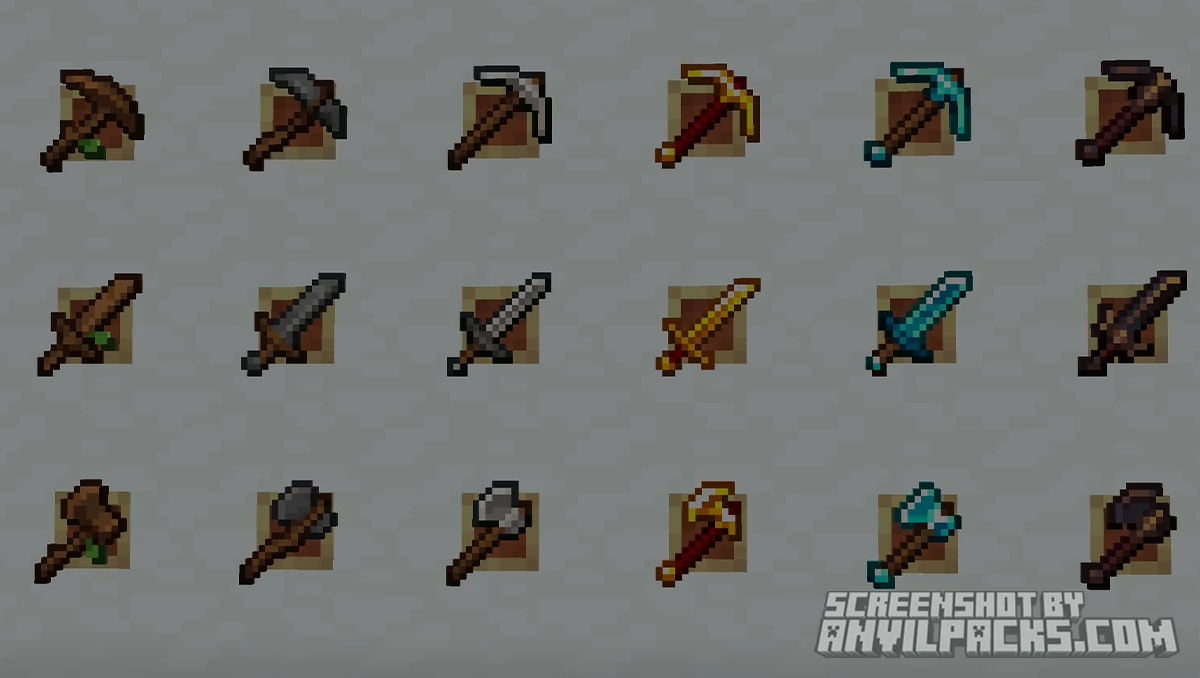
Our YouTube Video & Screenshots
Version Compatibility
Faithless is fully compatible with Java Edition versions from 1.0 up to the latest 26.1
Faithless Texture Pack My Honest Opinion
Faithless is one of the most ambitious resource packs in the Minecraft ecosystem. It’s not just changing textures — it’s adding genuine gameplay information through a resource pack, which is something most players don’t even know is possible. The brewing chart alone has probably saved millions of collective alt-tabs to the Minecraft wiki.
The accessibility angle is real and it matters. This isn’t a marketing bullet point. StitchSprites built this pack with disabled players, not just for them. The textures were iterated through direct feedback on Discord. That’s a level of care you almost never see in free community content. And the result is a pack that’s better for everyone — the shape-based identification system and high-contrast designs are just easier to parse, period, even if your vision is perfectly fine.
The art style will be polarizing. This is not a vanilla-plus pack. This is a full overhaul with a distinct RPG-inspired personality. Some people will install it and feel like they’re playing Minecraft for the first time again. Others will find it too busy or too far from the original aesthetic. There’s no middle ground with Faithless — you either love what it does or you want something closer to vanilla.
One minor friction point: you really want OptiFine installed to get the full experience. Without it, some of the best features (the food info overlay, custom item textures for potions, the brewing chart GUI) don’t render. That’s a limitation of Minecraft’s base resource pack system, not a flaw of Faithless, but it does mean the pack has a soft dependency that pure vanilla players need to be aware of.
The custom sounds are a love-it-or-hate-it addition. Personally, I’d strip them. The visual changes are all upside, but sound is deeply personal in Minecraft and changing footstep sounds can feel jarring. Fortunately, removing them is a two-file delete — easy fix.
Who is this for? Survival players who want utility baked into their textures. Redstone builders who want clearer component states. Players with any form of visual impairment or color deficiency. Anyone who’s tired of alt-tabbing to the wiki for potion recipes. And frankly, anyone curious about what a resource pack can do when the creator decides “just textures” isn’t enough. Faithless is weird, ambitious, opinionated, and one of a kind. At 6.4 million downloads, a lot of people agree.
[1.0 - 26.1] Download Faithless Texture Pack
Free download — redirects to the official pack page.
Explore More Texture Packs



Explore More Shader Packs



How to Install Faithless Texture Pack?
- Install OptiFine or Iris Shaders for full compatibility and visual features.
- Download the Texture Pack — by clicking the button below.
- Launch Minecraft and open Options → Resource Packs.
- Click “Open Pack Folder.”
- Move or drag the downloaded
.zipfile into the resourcepacks folder. - Go back to Minecraft — the pack should now appear on the left side of the screen.
- Click the arrow to move it to the right (active packs).
- If a message says the pack was made for a different version, click “Yes.”
- Click Done, and enjoy your upgraded visuals!
- Credits: Full credit for creating Faithless goes to StitchSprites.
- Please note that none of the files are hosted on our servers — all Download Links redirect to the official Pack page to support the creator.
- Every pack is thoroughly checked and confirmed to be free from viruses, ensuring a completely safe and secure download experience for all users.
Popular Texture Packs

XRay Texture Pack
Fresh Animations Texture Pack
Bare Bones Texture Pack
Visible Ores Texture Pack
Minecraft Versions

1.21.X Texture Packs
1.20.X Texture Packs
1.19.X Texture Packs
1.18.X Texture Packs
Resolutions

8x Texture Packs

16x Texture Packs

32x Texture Packs

64x Texture Packs

128x Texture Packs

256x Texture Packs

512x Texture Packs