
There’s a problem with a lot of “realistic” shader packs: they chase physical accuracy so hard that the game stops feeling like Minecraft. Everything gets tone-mapped, desaturated, and buried under haze until your world looks like a rendering test rather than something you built. Kappa Shader, made by rre36, takes a different approach. It uses physically accurate calculations as a starting point, then deliberately tweaks the output to reproduce what you’d actually observe in nature. The difference sounds subtle. The result is a shader that looks genuinely realistic without making your world feel alien.
With 2 million downloads on Modrinth, Kappa has built a solid reputation as a high-end option that doesn’t go fully off the deep end. It’s tagged as both Realistic and Semi-Realistic, which is accurate — this pack sits in an interesting middle ground between the warm, stylized look of something like BSL Shaders and the full-on technical approach of Noble Shaders.
One thing to note upfront: Kappa is licensed All Rights Reserved. You can use it freely in your own world, but redistribution rules are strict. Check the creator’s website at rre36.com if you need specifics.
The feature list is long, and unlike some packs that pad their descriptions, Kappa actually delivers on most of it.
Screen-Space Path Tracing (SSPT) is the headline technical feature. It’s a lighter implementation of path tracing compared to full path tracing — it works within the screen space rather than tracing full scene rays — but it still produces noticeably more accurate indirect lighting and color bleeding than standard shader techniques. Colored light from blocks tints nearby surfaces. Indirect light fills corners naturally. It doesn’t demand the same GPU overhead as full path tracing, which is why Kappa can include it without requiring a flagship graphics card.
Temporal Anti-Aliasing and Upscaling (TAAU) helps maintain visual quality across frames, smoothing out the image without the shimmer and noise you’d otherwise see from SSPT. In practice this means the output looks clean and stable rather than grainy — something that’s easy to get wrong with path tracing adjacent techniques.
The procedural skybox is one of the most visually impressive parts. Multiple cloud layers shift and evolve over time. Weather parameters change randomly per day and with the time of day — so fog density, cloud coverage, and atmospheric haze vary each Minecraft day rather than staying static. Rain and storms feel genuinely different from clear mornings. You don’t realize how flat vanilla weather looks until you see Kappa’s version.
Volumetric fog adds atmosphere in the Nether, in valleys, and at dawn. It’s not overdone — this isn’t the suffocating fog you get from horror-adjacent packs like Insanity Shader. It’s subtle enough to add depth without getting in your way during gameplay.
labPBR resource pack support means pairing Kappa with a PBR-enabled pack like Prime’s HD Textures 32x unlocks proper surface roughness, metalness, and reflectivity. Kappa already looks great without it, but PBR textures add another meaningful layer of realism to surfaces.
Optional lens effects — depth of field, lens flares, vignette — are there if you want them. They’re off by default, which is the right call. Enable them for screenshots, leave them off for gameplay.
Here’s how it looks side by side with vanilla.
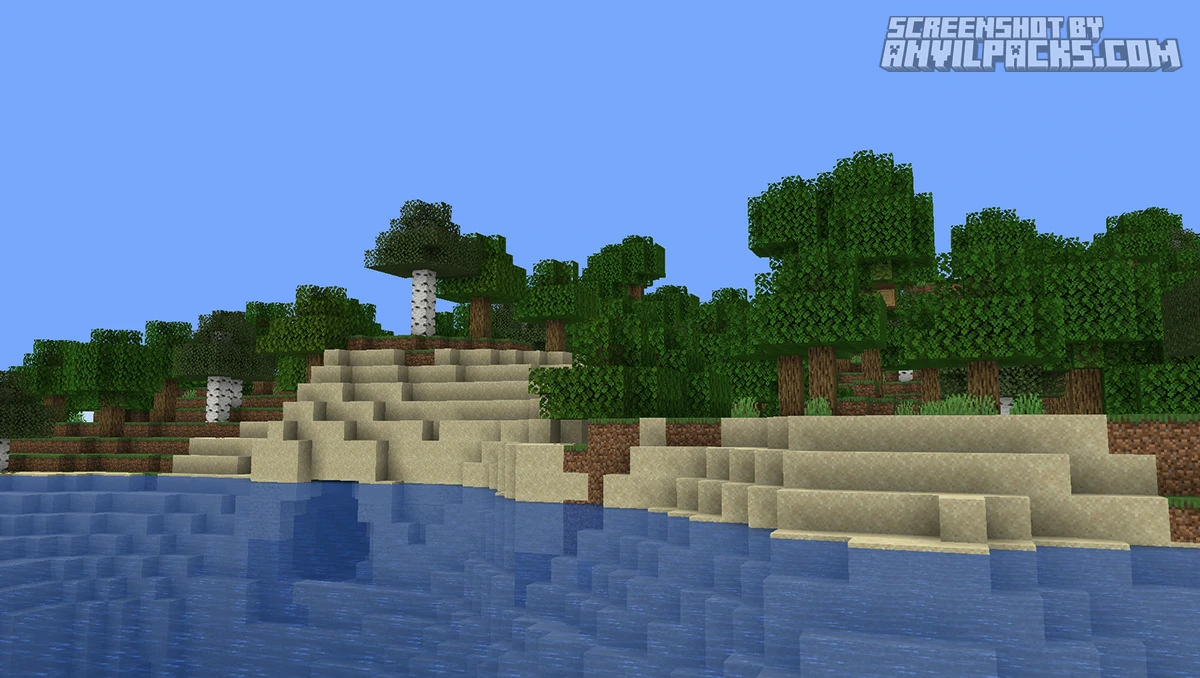
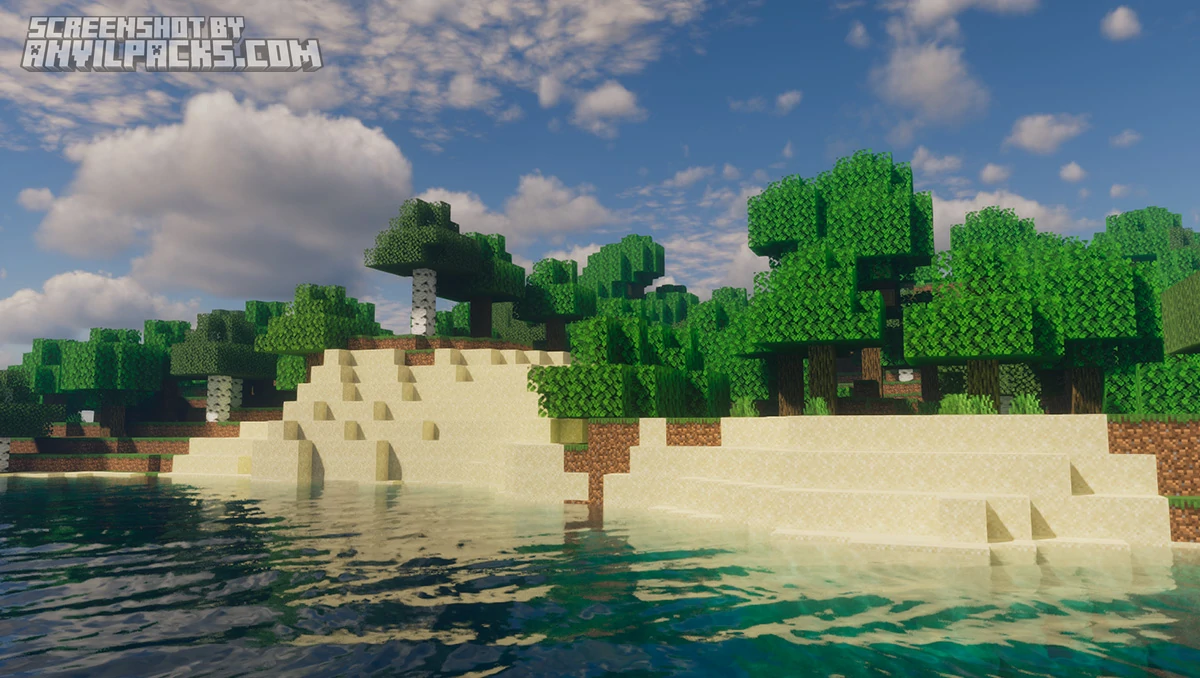
Kappa is a high-end shader pack. The minimum requirement is a GTX 1050 or RX 560 with OpenGL 4.0 support. Intel HD 5000 Graphics and older are explicitly not supported — the creator has flagged this repeatedly due to issue reports. MacOS is also out. Windows and Linux only.
Within those requirements, performance is reasonable for what the pack delivers. SSPT is the main cost driver — disabling it drops the GPU load significantly if you need more frames. The TAAU upscaling helps recover some of that performance back. Most mid-range cards from the last five years should hit playable frame rates on default settings.
Compared to Complementary Reimagined, Kappa is more technically demanding and more aggressively realistic in its lighting output. Complementary is warmer, more forgiving on hardware, and arguably easier to enjoy straight out of the box. Kappa rewards players who want to push further and are willing to spend time tuning the settings.
Against Bliss Shaders, Kappa has the deeper feature set — SSPT and TAAU are genuinely differentiating. Bliss is the more approachable option for similar hardware. Against Photon Shaders, both sit in the high-end realistic tier; Kappa has the more distinctive procedural weather system while Photon leans harder into clean, bright visuals.
Supported versions: 1.16.x–1.21.4. The latest 1.21.5 and above are not currently listed — check the Modrinth versions tab before installing if you’re on a recent release.
Here’s a video showing the pack in action.
Check out the screenshots below — the procedural skybox and volumetric lighting are the things worth paying attention to here.
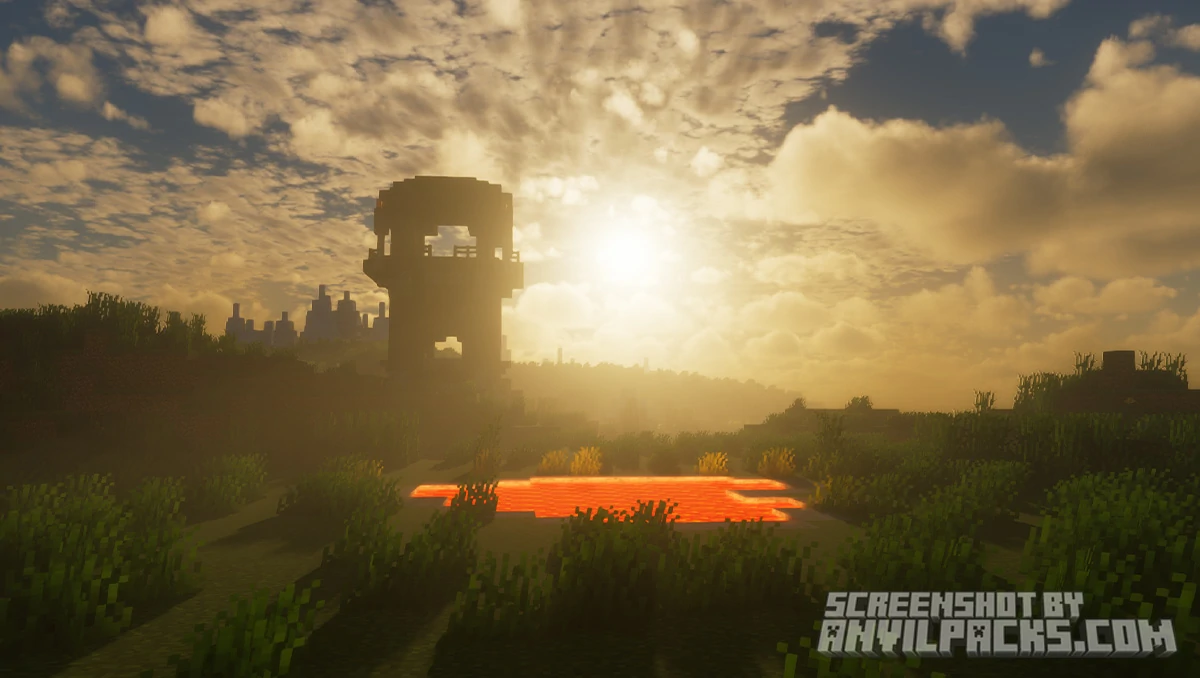
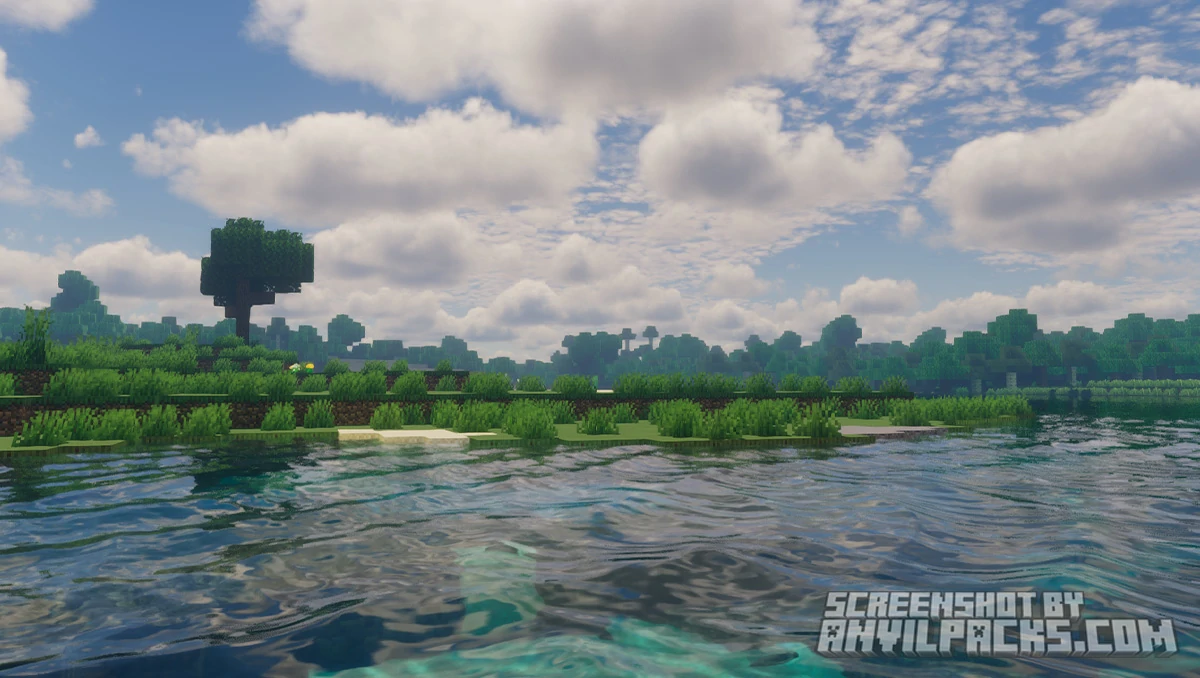
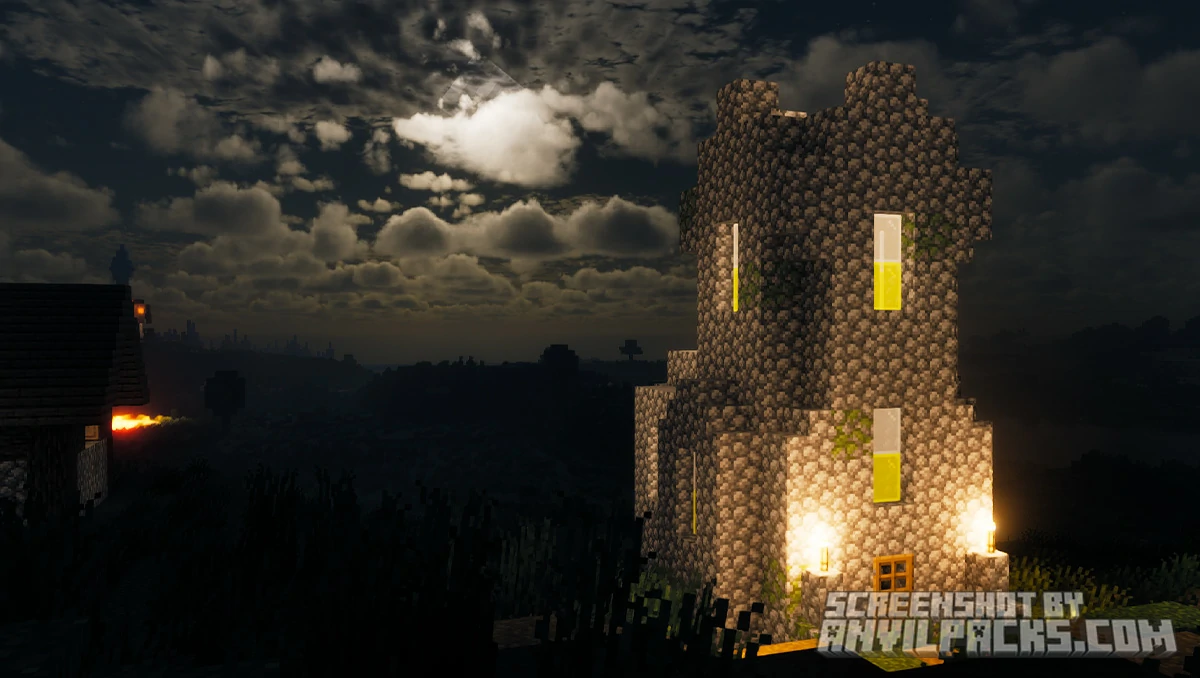
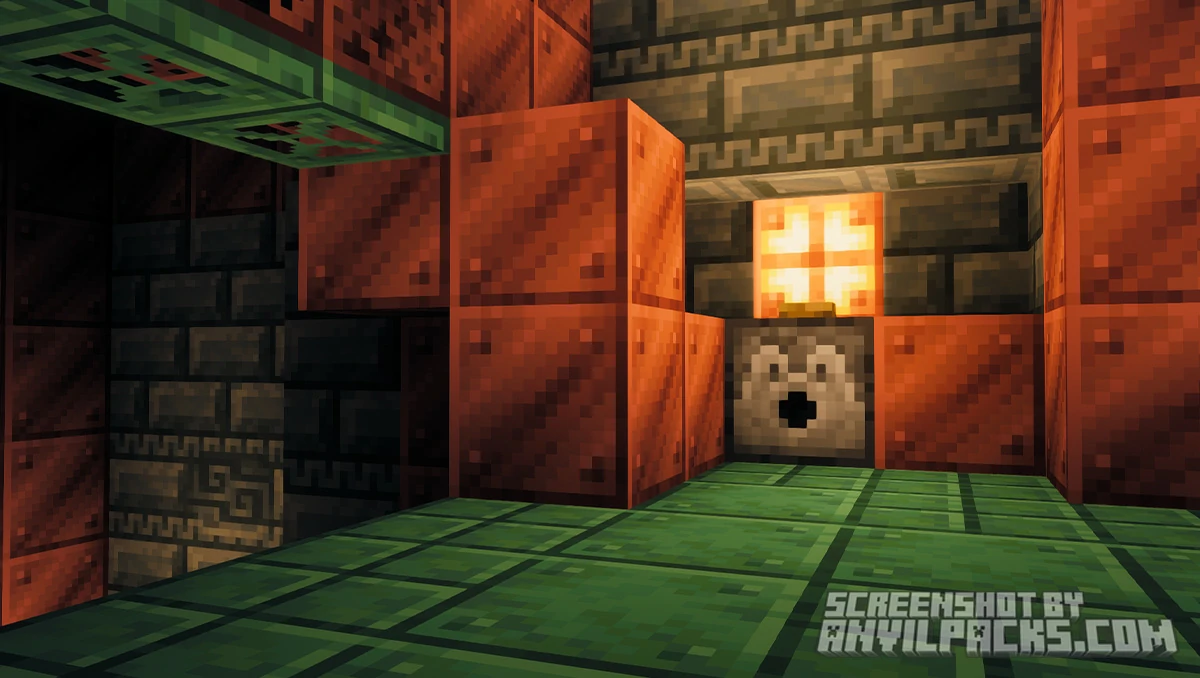
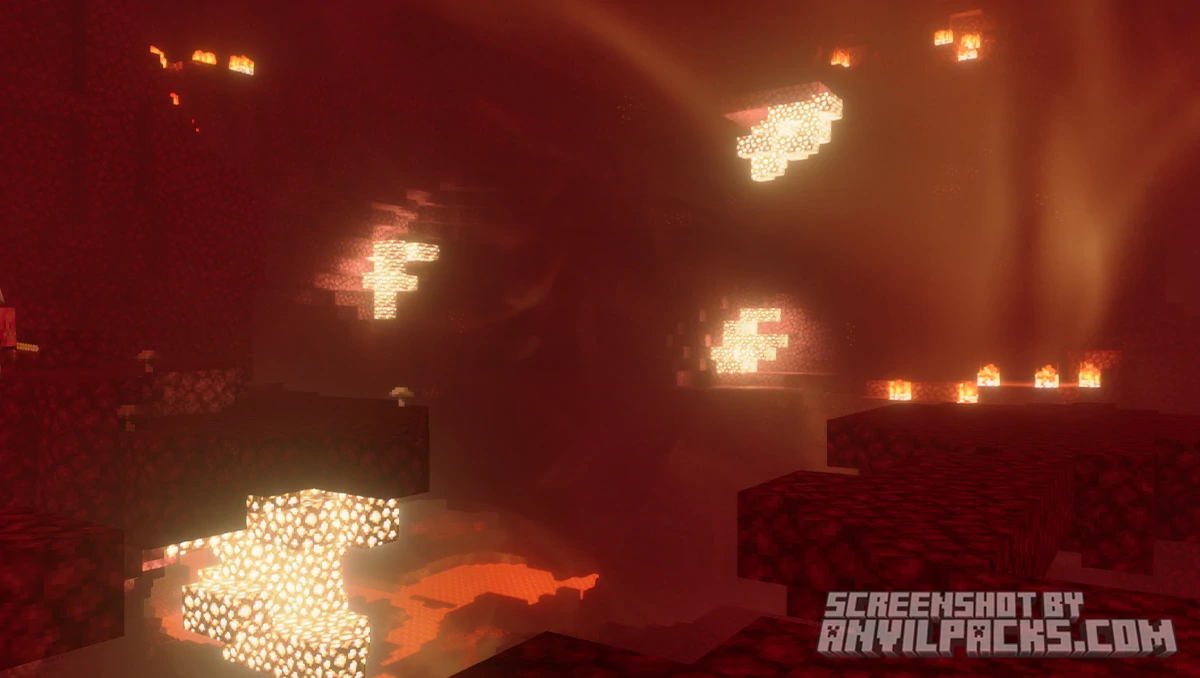
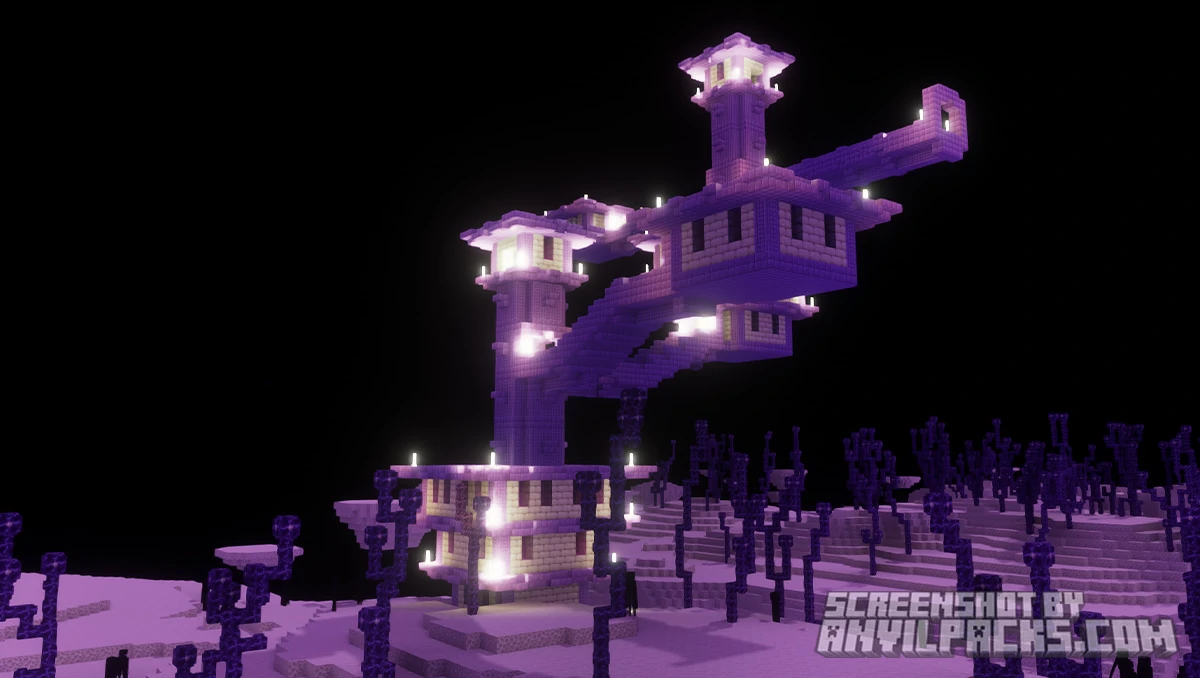
Kappa Shader is fully compatible with Java Edition versions from 1.13 up to the latest 26.2
Kappa is a well-built, genuinely ambitious shader pack that hits a sweet spot most high-end options miss: technically sophisticated without being clinical. The SSPT lighting and procedural weather together create a world that feels alive in a way that standard shaders don’t manage. Walking out of a cave into a misty morning with dynamic cloud layers overhead is a different experience from what most shader packs deliver.
The performance requirements are real. Don’t install Kappa on a GTX 950 and expect smooth gameplay — the minimum spec exists for a reason. And the ARR license means you can’t redistribute or modify it freely, which matters if you’re putting together a modpack for others.
The version cap at 1.21.4 is worth checking before you commit. rre36 actively develops the pack — he also maintains other shaders — but updates don’t always keep pace with Mojang’s release schedule.
The verdict: One of the better high-end shader packs available right now, especially for players who want realistic lighting without sacrificing the game’s identity entirely. If your hardware meets the spec and you’re on a compatible version, Kappa is absolutely worth trying.
Free download — redirects to the official pack page.

XRay Texture Pack
Fresh Animations Texture Pack
Bare Bones Texture Pack
Visible Ores Texture Pack

1.21.X Texture Packs
1.20.X Texture Packs
1.19.X Texture Packs
1.18.X Texture Packs

8x Texture Packs

16x Texture Packs

32x Texture Packs

64x Texture Packs

128x Texture Packs

256x Texture Packs

512x Texture Packs





