
If you’ve looked at Kappa Shader and liked what you saw but weren’t sure your hardware could keep up, FastPBR is the answer. It’s made by the same creator — rre36 — shares the same Discord and Patreon, and comes from the same design philosophy. The difference is priority: where Kappa aims for the highest quality ceiling possible, FastPBR aims for the best visuals you can get at low performance cost.
That’s a meaningful distinction. FastPBR is tagged both Realistic and Low on Modrinth, which is not a combination you see often. With 1.59 million downloads, it’s clearly found the audience it was built for — players who want realistic-looking Minecraft without dedicating their entire GPU budget to getting it.
One critical note before anything else: FastPBR only works with Iris. OptiFine is explicitly not supported, and the creator has stated it won’t be unless OptiFine catches up with Iris’s more advanced feature set. If you’re running OptiFine, this pack is not for you.
FastPBR delivers a surprisingly full visual package for a low-performance shader. The feature list overlaps significantly with Kappa, which makes sense — same creator, same toolkit — but everything is tuned for efficiency rather than maximum quality.
Dynamic soft shadows are clean and well-behaved. They shift with time of day and interact properly with light sources. Nothing unusual here, but the implementation is solid and doesn’t produce the artefacts you sometimes see in cheaper shader packs.
HBIL (Horizon-Based Indirect Lighting) is the indirect lighting solution FastPBR uses instead of SSPT. It’s a screen-space technique that approximates how light bounces between surfaces — cheaper than path tracing, faster than SSPT, but still meaningfully better than the flat direct lighting most shaders use. Shadows fill in softly, corners get ambient occlusion, and indoor spaces feel less like they’re lit by an invisible sun. It’s optional, so you can disable it for extra performance if needed.
TAAU (Temporal Anti-Aliasing and Upscaling) is the same technology as in Kappa — stabilizes the image over time and smooths out the output from indirect lighting. It’s a key reason FastPBR looks cleaner than its performance cost would suggest.
The procedural skybox includes volumetric clouds that evolve over time. Dynamic weather parameters shift cloud density and fog behavior across different times of day. It’s one of rre36’s signatures across all his packs, and it shows here — the sky in FastPBR is one of its strongest visual features. Sunrises are genuinely worth stopping to look at.
Volumetric fog adds atmospheric depth in low-lying areas, in the Nether, and during weather. Like in Kappa, it’s tasteful rather than oppressive — adds depth without getting in the way.
Optional lens effects (depth of field, lens flares, vignette) round out the package. Same as Kappa — off by default, useful for screenshots.
Distant Horizons compatibility has been supported since v2.0, which is a notable plus for players running extended render distances.
Here’s how it looks side by side with vanilla.
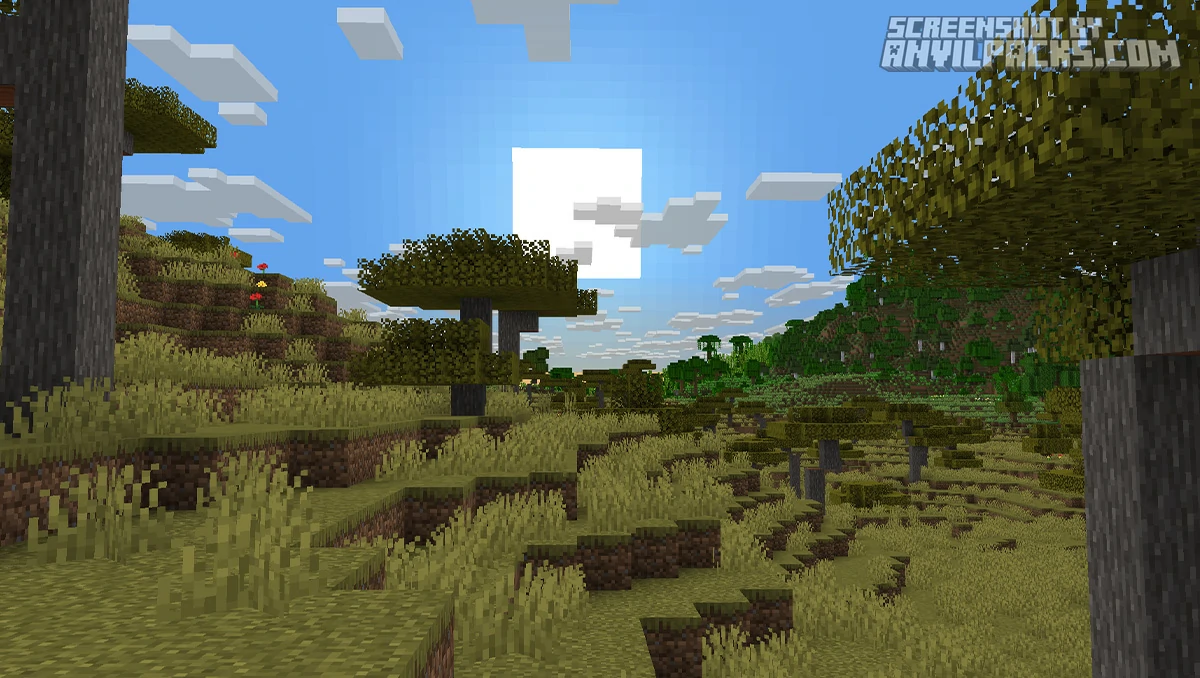
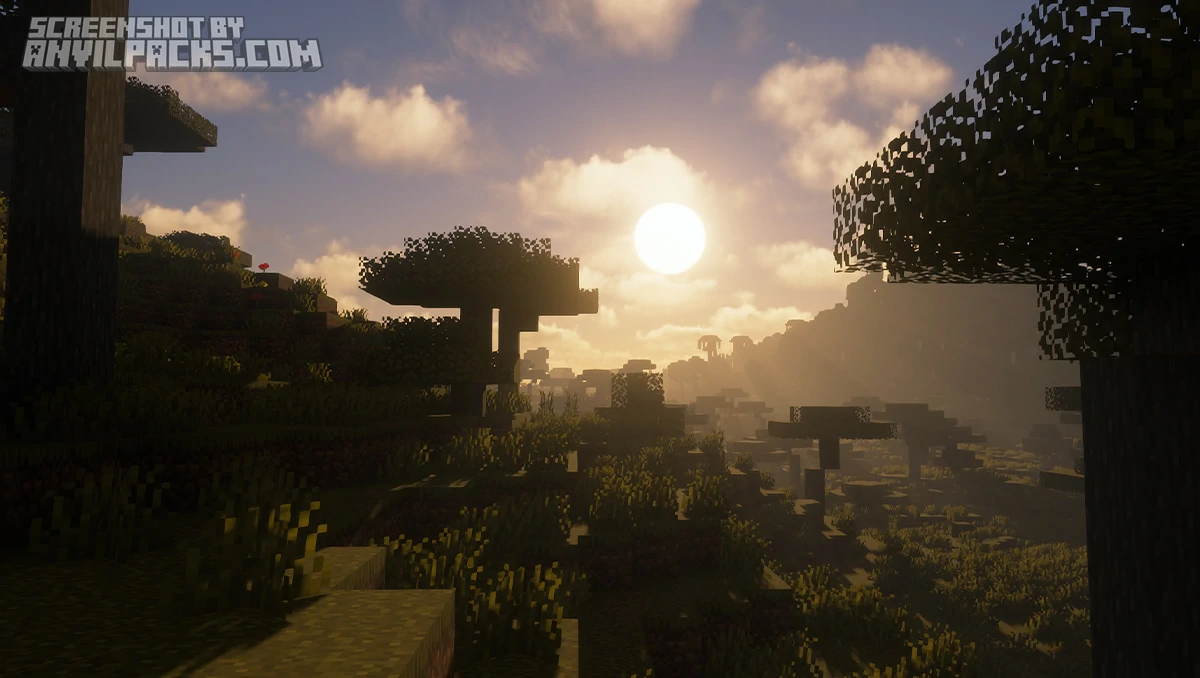
FastPBR requires OpenGL 4.3 or newer, which is a slightly higher bar than Kappa’s OpenGL 4.0 minimum. In practice most dedicated GPUs from the past decade support 4.3 without issue, but it’s worth confirming before installing. Windows and Linux only — no MacOS support.
The “Low” performance tag is earned. FastPBR runs noticeably smoother than Kappa on equivalent hardware. If you have a mid-range card — something in the GTX 1060 / RX 580 tier — FastPBR is a realistic daily driver where Kappa might struggle. The tradeoff is a less technically deep lighting model: HBIL rather than SSPT, which is less accurate but significantly faster.
Compared to Kappa Shader directly: same creator, same aesthetic direction, meaningfully lower performance cost. If you can run Kappa comfortably, run Kappa. If Kappa is too heavy for your setup but you want the same visual language, FastPBR is the logical step down.
Against Complementary Reimagined, FastPBR is more realistic in tone but similarly accessible on performance. Complementary is warmer and more immediately beautiful out of the box. FastPBR is cooler and more neutral — it aims for accuracy over charm. Which you prefer is an aesthetic choice.
Against BSL Shaders, FastPBR is more opinionated about its visual output and less flexible for customization. BSL gives you more room to push the look in different directions. FastPBR has a cleaner default but a narrower range.
The Iris-only requirement is the biggest practical limitation. If your current setup uses OptiFine — for PBR resource packs, connected textures, or other OptiFine-specific features — FastPBR won’t integrate cleanly.
Here’s a video showing the pack in action.
Check out the screenshots below to see the skybox and indirect lighting across different times of day.
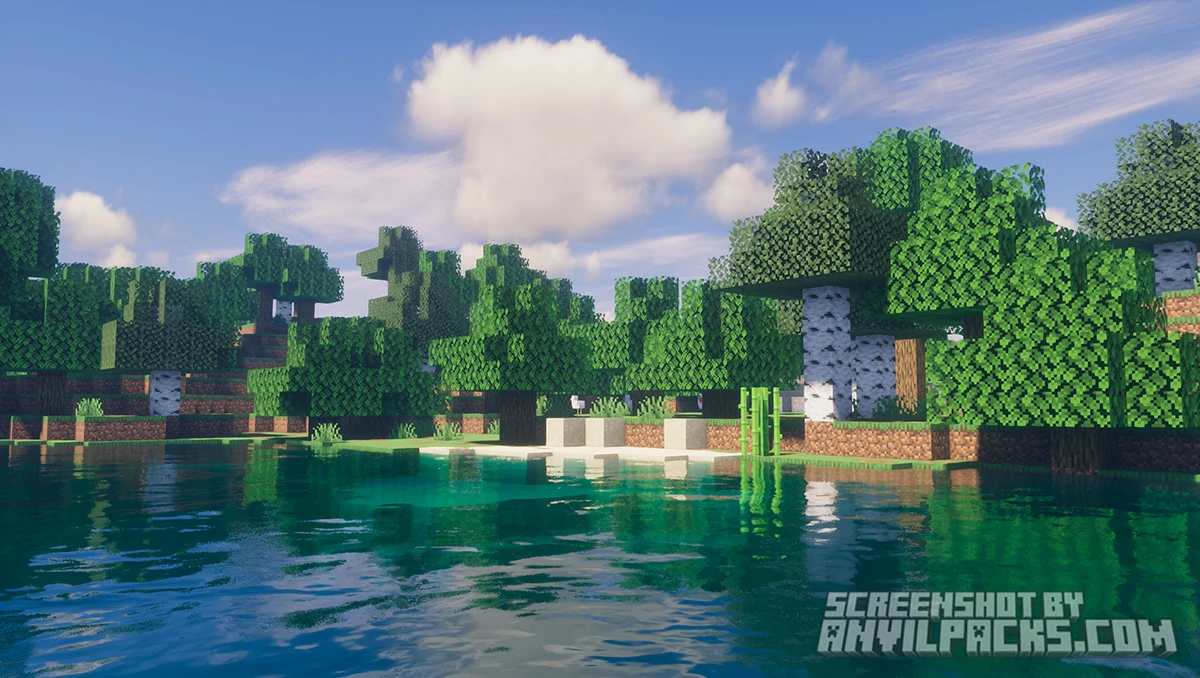
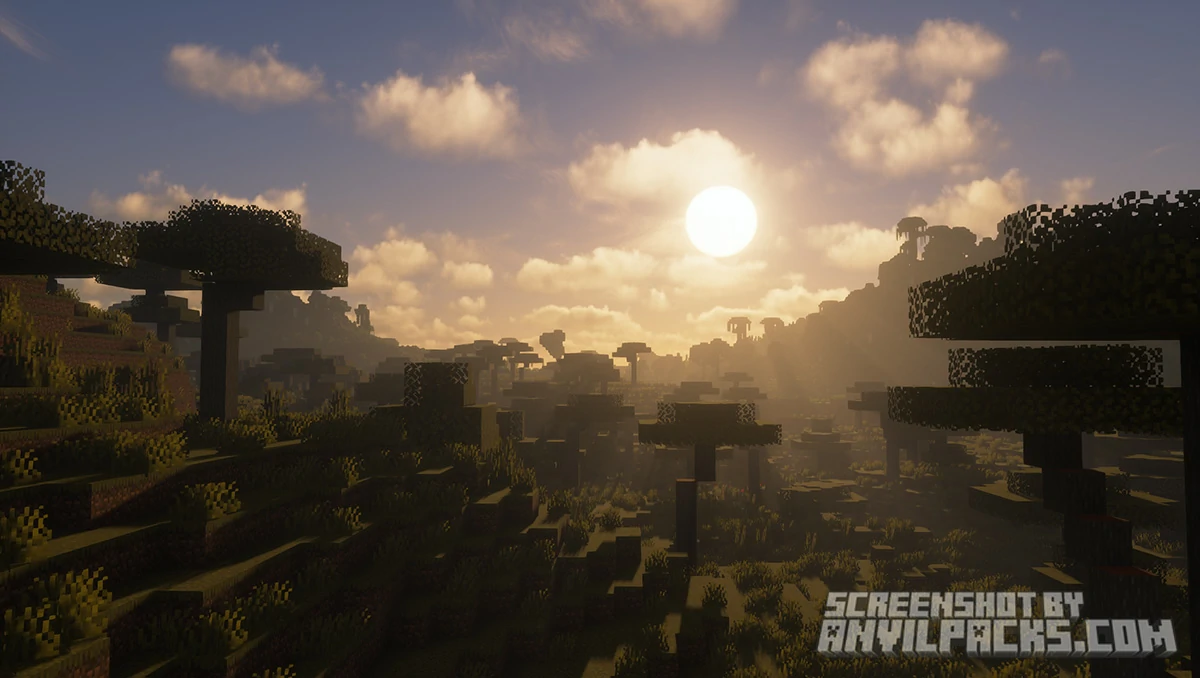
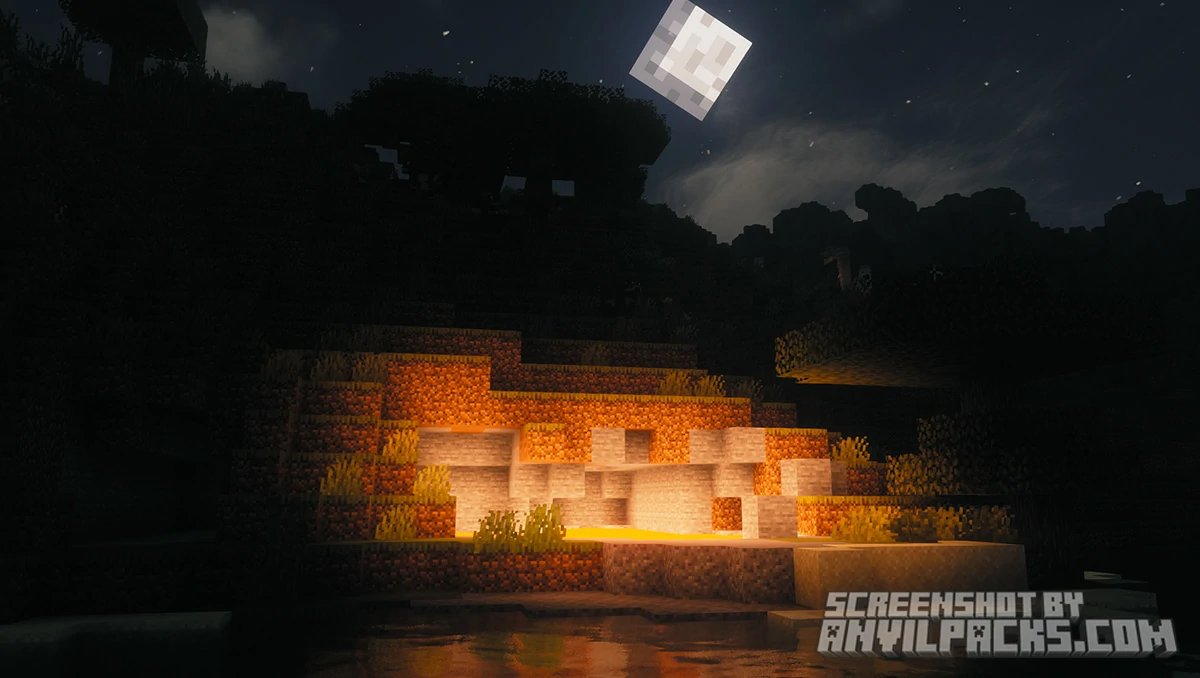
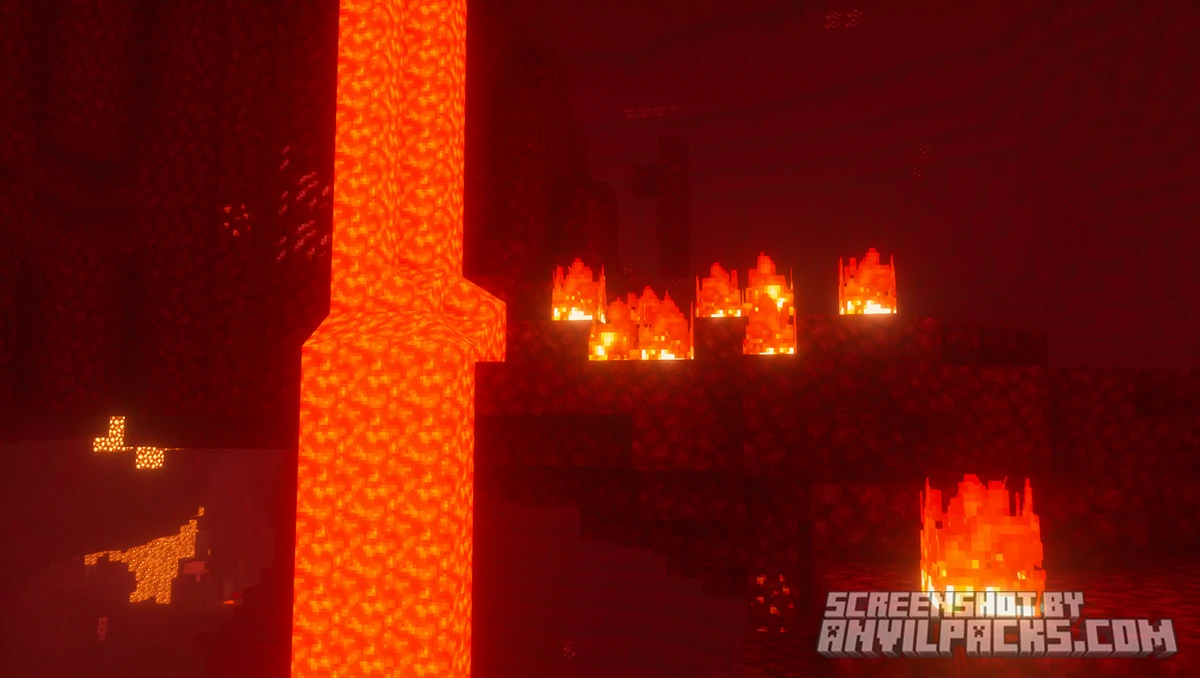
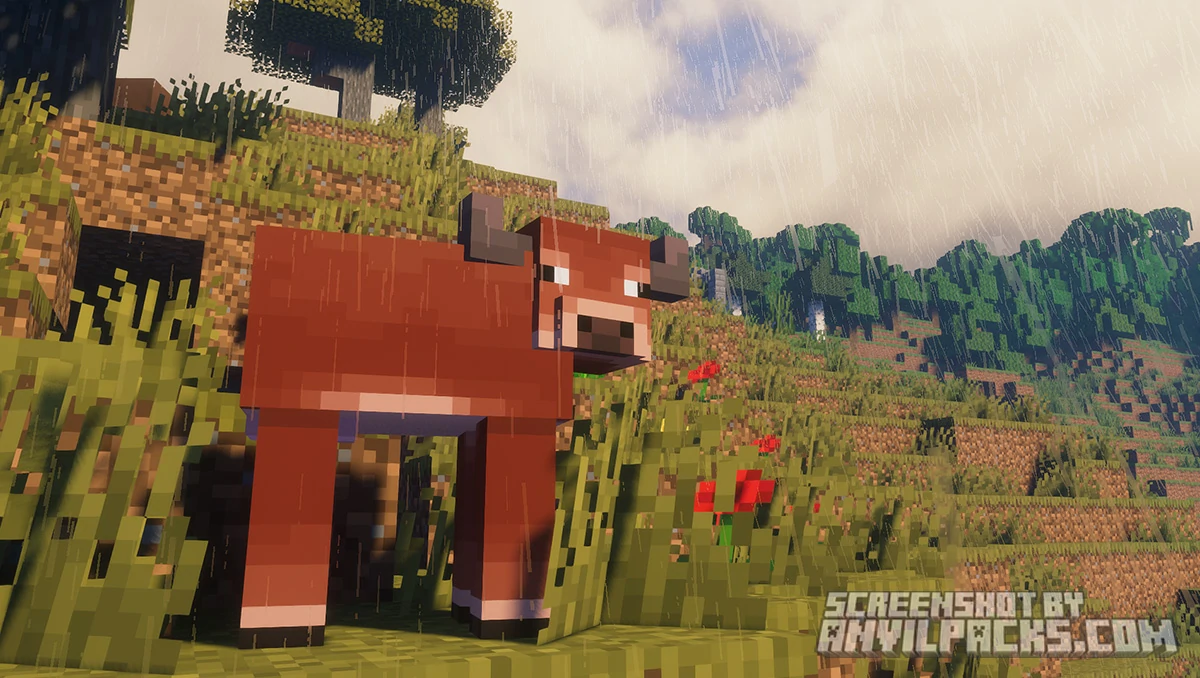
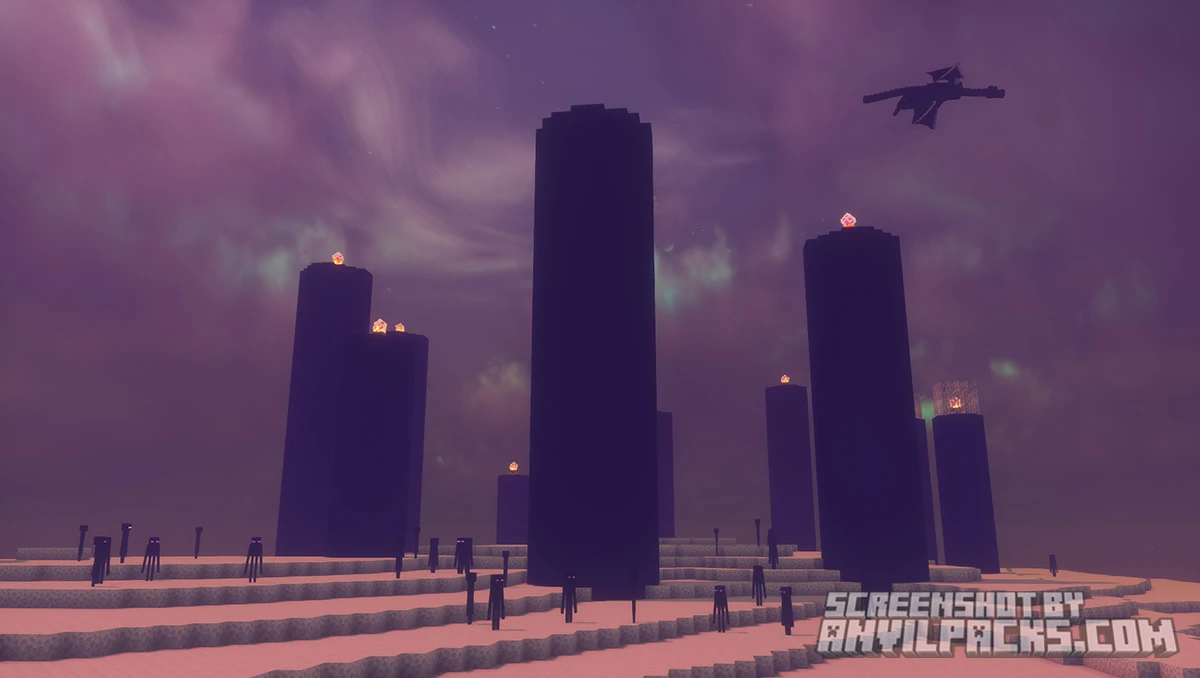
FastPBR Shader is fully compatible with Java Edition versions from 1.13 up to the latest 26.1.2
FastPBR does what it promises. It looks realistic, it runs light, and it comes from a creator who clearly knows what he’s doing — the same feature DNA as Kappa, tuned for hardware that can’t handle Kappa at full settings. That’s a genuinely useful thing to exist.
The Iris-only requirement is fine if you’re already on Iris, which is where most Fabric players are these days. But it’s a real wall if you’re still on OptiFine. Worth knowing before you spend time setting it up.
The version cap is the same situation as Kappa — 1.21.4 is the latest listed version. If you’re on 1.21.5 or newer, check the Modrinth versions tab before installing. rre36 updates his packs, but not always immediately after a Minecraft release.
The verdict: The best option in rre36’s lineup if your hardware sits in the mid-range tier. Realistic visuals, solid procedural sky, HBIL indirect lighting, and a performance cost that won’t tank your frame rate. Just make sure you’re on Iris before downloading.
Free download — redirects to the official pack page.

XRay Texture Pack
Fresh Animations Texture Pack
Bare Bones Texture Pack
Visible Ores Texture Pack

1.21.X Texture Packs
1.20.X Texture Packs
1.19.X Texture Packs
1.18.X Texture Packs

8x Texture Packs

16x Texture Packs

32x Texture Packs

64x Texture Packs

128x Texture Packs

256x Texture Packs

512x Texture Packs





