Minecraft’s vanilla textures are iconic, but let’s be honest — they haven’t aged perfectly. The repeating grass pattern, the flat stone, the cartoon leaves. Resource packs (previously called texture packs) are the fastest way to make the game look the way you actually want it to look, without installing a single mod or touching any game files.
This is your catalog of the best Minecraft resource packs for Java Edition — faithful vanilla upgrades, PvP packs built for FPS, realistic HD overhauls, utility packs for finding ores, and stylized packs that completely reinvent the art style. Every pack below is reviewed, credited to its creator, and linked to the official download.
Resource packs replace the game’s textures, models, sounds, and GUI elements. You can go as light or as heavy as you want:
Resource packs split into clear categories depending on what you’re trying to fix.
For the vanilla feel, but better: If you love the default look and just want it cleaned up, go with Stay True or Faithful 64x. These keep the vanilla art style intact but fix the rough edges — better color balance, sharper details, no tiling. This is the category most players end up in once they try everything else.
For a faithless twist on vanilla: Faithless strips vanilla down to a cleaner, flatter look. Different philosophy from Faithful, but still recognizably Minecraft.
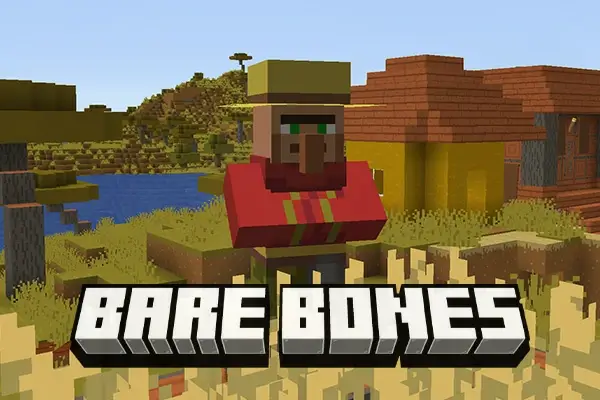
For a cartoonish, stylized overhaul: Bare Bones is the go-to. It’s the pack that gives Minecraft that simplified, Minecraft-Movie-trailer look. Great for cinematic screenshots and YouTube thumbnails.
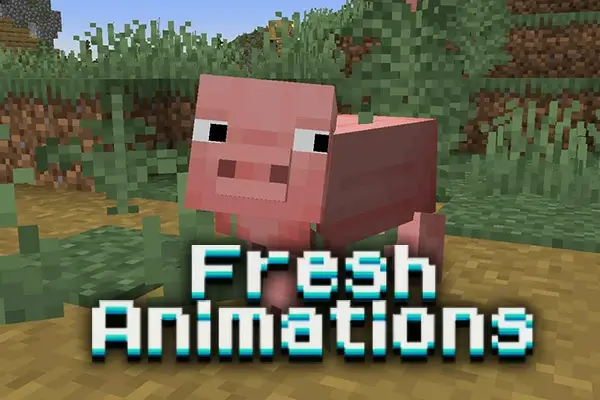
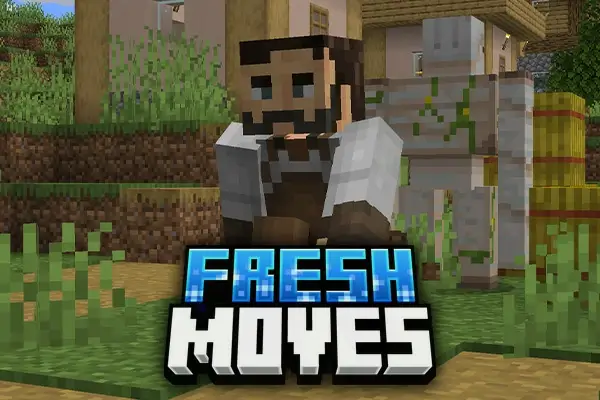
For better mobs and animations: Fresh Animations is basically mandatory at this point. It adds natural mob animations — zombies stumble, pigs wiggle, villagers actually move like people. Pair it with the FA Player Extension and Fresh Moves to animate your own character too.
For mining and utility: Xray Ultimate and Visible Ores are the two utility packs worth installing. Xray Ultimate makes every non-ore block transparent so you can find diamonds instantly. Visible Ores is the less aggressive version — ores glow through stone without making the world see-through. Use these only on single-player or servers that allow them.
For clean GUI: GUI SimpleStylized redesigns the inventory, chests, and menus with a cleaner look that works with basically any other pack stacked on top.
For survival progression flavor: Green Debris and similar small utility packs tweak specific textures — handy if you want to customize one thing without overhauling the entire game.
Resource packs are the easiest thing to install in Minecraft. No mod loader needed for basic packs.
.zip file. Do not unzip it..zip into the folder.That’s it. The pack loads instantly and applies to every world you play.
For packs that need OptiFine: Some resource packs use advanced features like connected textures, random mob textures, or custom block models. Those features require OptiFine to display correctly. Fresh Animations is the big one here — it works without OptiFine but you lose most of the animation features. The pack description on each review tells you exactly what’s needed.
For 512x and 256x HD packs: Allocate more RAM to Minecraft before loading these. HD packs at 512x resolution can crash the game if you’re running on default memory allocation.
Resolution is how detailed the textures are. Vanilla Minecraft runs at 16×16 per block. Every pack in our catalog is sorted by resolution so you can pick what your PC can handle:
Higher resolution isn’t better by default. A great 16x pack will look sharper and more cohesive than a mediocre 256x pack every time.
Most resource packs have near-zero FPS impact. A 16x or 32x pack costs you nothing. The performance issues kick in when you start stacking:
If you want to run nice textures with a shader pack on mid-range hardware, stick to 32x or 64x resource packs and add performance mods like Sodium and No Fog underneath.
Quick reminder so you install the right thing:
You can stack all three. A faithful pack like Stay True + BSL Shaders + Sodium is the combo most experienced players land on once they’ve tried everything.
For version-specific pack collections and curated recommendations, check the Flameusz Texture Packs guide.
Every resource pack on AnvilPacks is reviewed honestly, credited to its original creator, and linked directly to the official download source. Nothing is rehosted on our servers. Nothing is bundled with installers, adware, or third-party launchers. If a pack is mid, we say so. If a pack only works with OptiFine, we mention it up front. The catalog is sorted by resolution, Minecraft version, and category — no dead links, no abandoned packs from 2014 pretending to be “top packs 2024.”
Pick a resource pack below, read the review, grab the file from the official source, and make Minecraft look the way you always wanted it to.

XRay Texture Pack
Fresh Animations Texture Pack
Bare Bones Texture Pack
Visible Ores Texture Pack

1.21.X Texture Packs
1.20.X Texture Packs
1.19.X Texture Packs
1.18.X Texture Packs

8x Texture Packs

16x Texture Packs

32x Texture Packs

64x Texture Packs

128x Texture Packs

256x Texture Packs

512x Texture Packs